RAG Tutorial: Build Your Own AI Knowledge Base
Stop hallucinating. Build a RAG system that grounds your LLM in real data — from document chunking to vector retrieval, with full Python code.
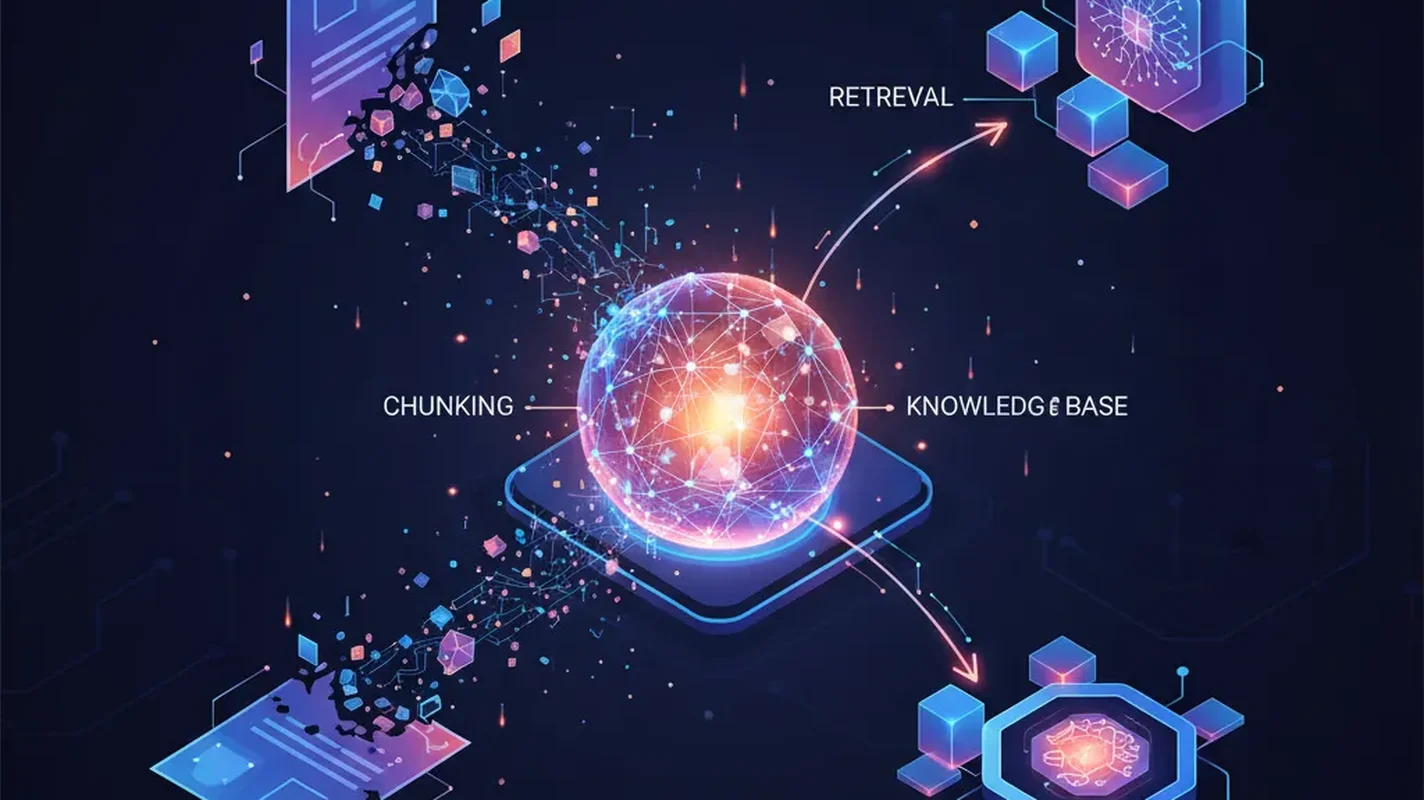
ChatGPT lies to you. So does Claude, Gemini, and every other LLM you’ve ever used. They don’t mean to — they’re just confidently filling in gaps with plausible-sounding nonsense. The industry calls it “hallucination.” I call it a dealbreaker for anything serious.
RAG fixes this. Not perfectly, but well enough that companies are betting billions on it.
In this tutorial, you’re going to build a complete Retrieval-Augmented Generation system from scratch. By the end, you’ll have an AI that answers questions grounded in your documents — not whatever training data it memorized two years ago.
What RAG Actually Is (and Why You Should Care)
RAG is dead simple as a concept. Instead of asking an LLM to answer from memory, you:
- Retrieve relevant chunks of your own data
- Augment the LLM’s prompt with that data
- Generate an answer grounded in real information
That’s it. You’re building a search engine and bolting it onto an LLM. The LLM becomes a reader and synthesizer instead of a guesser.
Why does this matter? Three reasons:
- Accuracy: Your answers are grounded in real documents. No more confident fabrication.
- Freshness: Your knowledge base updates instantly. No waiting for the next model training run.
- Control: You decide exactly what information the AI can access. This is huge for enterprise use cases where you can’t dump proprietary data into a third-party training pipeline.
The alternative is fine-tuning, which costs more, takes longer, and still hallucinates. RAG wins for most use cases. Period.
Prerequisites
Before we start building, make sure you have:
- Python 3.10+ installed
- An OpenAI API key (or you can swap in open-source embeddings — I’ll show both)
- Basic Python knowledge — you should be comfortable with pip, virtual environments, and reading code
- Some documents to index — PDFs, text files, markdown, whatever. Grab a few if you don’t have any handy.
Set up your environment:
python -m venv rag-env
source rag-env/bin/activate  # Windows: rag-env\Scripts\activate

pip install openai chromadb langchain langchain-community langchain-openai
pip install pypdf tiktoken sentence-transformers
We’re using ChromaDB for this tutorial because it runs locally with zero configuration. No accounts, no cloud services, no credit card. You can swap it for Pinecone or Weaviate later — I’ll cover the tradeoffs.
Step 1: Loading and Chunking Your Documents
Raw documents are useless to a vector database. You need to break them into chunks — small enough to be specific, large enough to retain context.
from langchain_community.document_loaders import PyPDFLoader, TextLoader, DirectoryLoader
from langchain.text_splitter import RecursiveCharacterTextSplitter

# Load a single PDF
loader = PyPDFLoader("your_document.pdf")
raw_docs = loader.load()

# Or load an entire directory of text files
# loader = DirectoryLoader("./docs", glob="**/*.txt", loader_cls=TextLoader)
# raw_docs = loader.load()

print(f"Loaded {len(raw_docs)} pages/documents")
Now chunk them. This is where most beginners screw up — they either make chunks too small (losing context) or too large (diluting relevance).
text_splitter = RecursiveCharacterTextSplitter(
    chunk_size=1000,
    chunk_overlap=200,
    length_function=len,
    separators=["\n\n", "\n", ". ", " ", ""]
)

chunks = text_splitter.split_documents(raw_docs)
print(f"Split into {len(chunks)} chunks")

# Inspect a chunk
print(chunks[0].page_content[:200])
print(f"Metadata: {chunks[0].metadata}")
Why These Settings?
- chunk_size=1000: About 250 words. Big enough to contain a coherent thought, small enough to be specific. Start here and adjust.
- chunk_overlap=200: Chunks share 200 characters at boundaries. This prevents cutting a sentence in half and losing the connection between ideas.
- RecursiveCharacterTextSplitter: It tries to split on paragraph breaks first, then sentences, then words. Much smarter than blindly chopping at character counts.
Step 2: Generating Embeddings
Embeddings convert text into vectors — arrays of numbers that capture semantic meaning. Similar concepts land near each other in vector space, which is what makes retrieval work.
Option A: OpenAI Embeddings (Recommended for Production)
import os
from langchain_openai import OpenAIEmbeddings

os.environ["OPENAI_API_KEY"] = "your-api-key-here"  # or set it in your shell

embeddings = OpenAIEmbeddings(
    model="text-embedding-3-small"  # $0.02 per 1M tokens — dirt cheap
)

# Test it
test_vector = embeddings.embed_query("What is retrieval augmented generation?")
print(f"Vector dimension: {len(test_vector)}")  # 1536 dimensions
text-embedding-3-small is the sweet spot. It’s cheap, fast, and performs well for most use cases. The text-embedding-3-large model is marginally better but costs 6.5x more. Don’t bother unless you’re optimizing for the last few percentage points of accuracy.
Option B: Open-Source Embeddings (Free, Runs Locally)
Don’t want to send data to OpenAI? Fair enough. Use sentence-transformers:
from langchain_community.embeddings import HuggingFaceEmbeddings

embeddings = HuggingFaceEmbeddings(
    model_name="all-MiniLM-L6-v2"  # Small, fast, surprisingly good
)

# For better quality at the cost of speed:
# model_name="BAAI/bge-large-en-v1.5"

test_vector = embeddings.embed_query("What is retrieval augmented generation?")
print(f"Vector dimension: {len(test_vector)}")  # 384 dimensions
all-MiniLM-L6-v2 runs on a laptop CPU in milliseconds. It’s not as good as OpenAI’s model on benchmarks, but for most real-world RAG setups, the difference is negligible. If you need better local quality, bge-large-en-v1.5 from BAAI is excellent.
Step 3: Storing Vectors in ChromaDB
Now we store those embeddings so we can search them later.
from langchain_community.vectorstores import Chroma

# Create the vector store — this embeds all chunks and stores them
vectorstore = Chroma.from_documents(
    documents=chunks,
    embedding=embeddings,
    persist_directory="./chroma_db",  # saves to disk
    collection_name="my_knowledge_base"
)

print(f"Stored {vectorstore._collection.count()} vectors")
That’s it. ChromaDB handles the indexing, storage, and similarity search under the hood. Your vectors are persisted to ./chroma_db — restart your script and they’re still there.
Loading an Existing Vector Store
# Next time, load the existing store instead of re-embedding
vectorstore = Chroma(
    persist_directory="./chroma_db",
    embedding_function=embeddings,
    collection_name="my_knowledge_base"
)
Step 4: Retrieval — Finding Relevant Chunks
This is where the magic happens. You take a user’s question, convert it to a vector, and find the chunks that are closest in meaning.
# Simple similarity search
query = "How does the refund policy work?"
results = vectorstore.similarity_search(query, k=4)

for i, doc in enumerate(results):
    print(f"\n--- Result {i+1} ---")
    print(doc.page_content[:300])
    print(f"Source: {doc.metadata}")
Similarity Search with Scores
Sometimes you want to know how relevant each result is:
results_with_scores = vectorstore.similarity_search_with_score(query, k=4)

for doc, score in results_with_scores:
    print(f"Score: {score:.4f}")  # Lower = more similar in Chroma
    print(doc.page_content[:200])
    print("---")
Using a Retriever (Better for Pipelines)
LangChain’s retriever abstraction is cleaner for building chains:
retriever = vectorstore.as_retriever(
    search_type="similarity",
    search_kwargs={"k": 4}
)

# Or use MMR (Maximal Marginal Relevance) for more diverse results
retriever = vectorstore.as_retriever(
    search_type="mmr",
    search_kwargs={"k": 4, "fetch_k": 10}  # Fetch 10, pick 4 most diverse
)

relevant_docs = retriever.invoke("How does the refund policy work?")
MMR is underrated. Pure similarity search often returns 4 chunks that say basically the same thing. MMR fetches more candidates and then selects for diversity — you get broader coverage of the topic.
Step 5: Generation — Putting It All Together
Now we connect retrieval to an LLM. The retrieved chunks go into the prompt as context, and the LLM synthesizes an answer.
from langchain_openai import ChatOpenAI
from langchain.prompts import ChatPromptTemplate
from langchain.schema.runnable import RunnablePassthrough
from langchain.schema.output_parser import StrOutputParser

# Initialize the LLM
llm = ChatOpenAI(model="gpt-4o-mini", temperature=0)

# Build the prompt
template = """Answer the question based ONLY on the following context.
If the context doesn't contain enough information, say "I don't have enough information to answer that."

Context:
{context}

Question: {question}

Answer:"""

prompt = ChatPromptTemplate.from_template(template)

# Helper to format retrieved docs
def format_docs(docs):
    return "\n\n".join(doc.page_content for doc in docs)

# Build the RAG chain
rag_chain = (
    {"context": retriever | format_docs, "question": RunnablePassthrough()}
    | prompt
    | llm
    | StrOutputParser()
)

# Ask a question
answer = rag_chain.invoke("How does the refund policy work?")
print(answer)
That’s your complete RAG pipeline. Question goes in, relevant documents get retrieved, LLM reads them, answer comes out grounded in your actual data.
A Simpler Version Without LangChain
If LangChain feels like overkill (it often is), here’s the same thing with raw OpenAI calls:
from openai import OpenAI

client = OpenAI()

def ask_rag(question: str, vectorstore, k: int = 4) -> str:
    # Retrieve relevant chunks
    docs = vectorstore.similarity_search(question, k=k)
    context = "\n\n".join(doc.page_content for doc in docs)

    # Generate answer
    response = client.chat.completions.create(
        model="gpt-4o-mini",
        temperature=0,
        messages=[
            {
                "role": "system",
                "content": (
                    "Answer the question based ONLY on the provided context. "
                    "If the context doesn't contain enough information, say so."
                )
            },
            {
                "role": "user",
                "content": f"Context:\n{context}\n\nQuestion: {question}"
            }
        ]
    )

    return response.choices[0].message.content

# Use it
answer = ask_rag("How does the refund policy work?", vectorstore)
print(answer)
Fewer abstractions, same result. Use whichever version makes sense for your project.
Choosing a Vector Database
ChromaDB is great for getting started, but you’ll eventually need to evaluate alternatives. Here’s the honest breakdown:
ChromaDB
- Best for: Prototyping, small projects, local development
- Pros: Zero config, runs locally, open source, Python-native
- Cons: Not built for massive scale. Performance degrades past a few million vectors.
- Verdict: Start here. Migrate when you need to.
Pinecone
- Best for: Production workloads where you don’t want to manage infrastructure
- Pros: Fully managed, fast, scales to billions of vectors, good developer experience
- Cons: Vendor lock-in, costs add up, your data lives on their servers
- Verdict: The “just works” option if you have budget and don’t mind managed services.
Weaviate
- Best for: Teams that want flexibility and hybrid search (vector + keyword)
- Pros: Open source, hybrid search built-in, GraphQL API, can self-host
- Cons: More complex setup, heavier resource requirements
- Verdict: Strong choice if you need hybrid search or want to self-host at scale.
pgvector
- Best for: Teams already running PostgreSQL who want to avoid adding another service
- Pros: It’s just Postgres. Your ops team already knows it.
- Cons: Not as fast as purpose-built vector DBs for very large datasets.
- Verdict: Underrated. If you’re already on Postgres, try this before adding another database.
My recommendation: Start with Chroma. If you hit limits, move to Pinecone for managed or Weaviate for self-hosted.
Common Pitfalls (and How to Avoid Them)
I’ve seen the same mistakes over and over in RAG implementations. Save yourself the pain.
1. Chunks Are Too Small or Too Large
The problem: Tiny chunks (100-200 chars) lose context. Huge chunks (5000+ chars) dilute relevance and waste token budget.
The fix: Start with 800-1200 characters with 15-20% overlap. Test with your actual documents. If answers feel incomplete, increase chunk size. If retrieval returns irrelevant stuff, decrease it.
2. Not Using Overlap
The problem: A key sentence gets split between two chunks. Neither chunk alone makes sense.
The fix: Always use overlap. 10-20% of your chunk size is the sweet spot. RecursiveCharacterTextSplitter handles this correctly.
3. Retrieving Too Few (or Too Many) Chunks
The problem: k=2 misses relevant context. k=20 overwhelms the LLM with noise and burns tokens.
The fix: k=3-5 is the sweet spot for most use cases. Use MMR to ensure diversity. If your chunks are small, lean toward k=5. If they’re large, k=3 is fine.
4. Ignoring Metadata
The problem: You retrieve the right content but have no idea which document or page it came from.
The fix: Preserve and use metadata. Add source file names, page numbers, dates, and categories. Filter on metadata during retrieval when possible:
results = vectorstore.similarity_search(
    query,
    k=4,
    filter={"source": "policy_document.pdf"}  # Only search specific docs
)
5. Using the Wrong Embedding Model for Your Data
The problem: You embed English documents with a model trained primarily on code (or vice versa).
The fix: Match your embedding model to your domain. OpenAI’s text-embedding-3-small is a solid general-purpose choice. For specialized domains, look at domain-specific models on Hugging Face.
6. No Evaluation
The problem: You build it, it “seems to work,” and you ship it. Then users start getting garbage answers and you have no idea why.
The fix: Build a test set of 20-50 question-answer pairs from your documents. Measure retrieval accuracy (are the right chunks being found?) separately from generation quality (is the LLM answering correctly given the right chunks?). When something breaks, you’ll know which half to fix.
7. Stuffing Everything Into One Collection
The problem: You dump HR policies, engineering docs, and financial reports into the same vector store. Questions about benefits retrieve random code documentation.
The fix: Use separate collections or metadata-based filtering for distinct document types. Or use a routing layer that picks the right collection based on the query.
Full Working Example
Here’s the complete script — copy, paste, run:
"""
Complete RAG System — EgoistAI Tutorial
"""
import os
from langchain_community.document_loaders import DirectoryLoader, TextLoader
from langchain.text_splitter import RecursiveCharacterTextSplitter
from langchain_openai import OpenAIEmbeddings, ChatOpenAI
from langchain_community.vectorstores import Chroma
from langchain.prompts import ChatPromptTemplate
from langchain.schema.runnable import RunnablePassthrough
from langchain.schema.output_parser import StrOutputParser

# --- Configuration ---
DOCS_DIR = "./documents"        # Put your text files here
CHROMA_DIR = "./chroma_db"      # Where vectors get stored
COLLECTION = "knowledge_base"
CHUNK_SIZE = 1000
CHUNK_OVERLAP = 200
RETRIEVAL_K = 4

os.environ["OPENAI_API_KEY"] = "your-key-here"

# --- Step 1: Load documents ---
loader = DirectoryLoader(DOCS_DIR, glob="**/*.txt", loader_cls=TextLoader)
raw_docs = loader.load()
print(f"Loaded {len(raw_docs)} documents")

# --- Step 2: Chunk ---
splitter = RecursiveCharacterTextSplitter(
    chunk_size=CHUNK_SIZE,
    chunk_overlap=CHUNK_OVERLAP
)
chunks = splitter.split_documents(raw_docs)
print(f"Created {len(chunks)} chunks")

# --- Step 3: Embed and store ---
embeddings = OpenAIEmbeddings(model="text-embedding-3-small")
vectorstore = Chroma.from_documents(
    documents=chunks,
    embedding=embeddings,
    persist_directory=CHROMA_DIR,
    collection_name=COLLECTION
)
print(f"Stored {vectorstore._collection.count()} vectors")

# --- Step 4: Build RAG chain ---
retriever = vectorstore.as_retriever(
    search_type="mmr",
    search_kwargs={"k": RETRIEVAL_K, "fetch_k": 10}
)

llm = ChatOpenAI(model="gpt-4o-mini", temperature=0)

prompt = ChatPromptTemplate.from_template(
    """Answer the question based ONLY on this context.
If the context doesn't contain enough information, say so.

Context:
{context}

Question: {question}

Answer:"""
)

def format_docs(docs):
    return "\n\n".join(doc.page_content for doc in docs)

rag_chain = (
    {"context": retriever | format_docs, "question": RunnablePassthrough()}
    | prompt
    | llm
    | StrOutputParser()
)

# --- Step 5: Ask questions ---
if __name__ == "__main__":
    while True:
        question = input("\nAsk a question (or 'quit'): ")
        if question.lower() == "quit":
            break
        answer = rag_chain.invoke(question)
        print(f"\n{answer}")
What’s Next
You’ve got a working RAG system. Here’s where to go from here:
- Add a web UI: Slap Streamlit or Gradio on top of this in 20 lines of code.
- Hybrid search: Combine vector similarity with keyword matching (BM25) for better retrieval. Weaviate does this natively; for Chroma, use LangChain’s
EnsembleRetriever. - Reranking: After retrieval, use a cross-encoder model to re-score and reorder results. Cohere’s reranker or open-source
cross-encoder/ms-marco-MiniLM-L-6-v2both work well. - Multi-modal RAG: Embed images and tables alongside text. This is bleeding-edge but moving fast.
- Agentic RAG: Let the LLM decide which collections to search, reformulate queries, and iterate on retrieval. More complex but dramatically more capable.
RAG isn’t the final answer to AI knowledge management. But right now, in 2026, it’s the most practical way to make LLMs useful for real work. Build it, test it, iterate. The gap between a toy demo and production system is mostly about chunking strategy, evaluation, and not ignoring the boring parts.
Now stop reading tutorials and go build something.
Sources
> Want more like this?
Get the best AI insights delivered weekly.
By subscribing, you agree to our Privacy Policy. You can unsubscribe at any time.
> Related Articles
Autonomous Business Agents Need a Control Plane Before They Need More Tools
Pion's research preview connects persistent agents to business systems. Evidence from real vending, retail, and cafe trials shows why monitoring and bounded authority are the core product.
AI Systems Need Three Trust Layers: Verifiable Work, Managed Permissions, and Private Credentials
A cipher-solving agent, GitHub's enterprise controls, and Signal's zkgroup work point to the same production lesson: intelligence needs enforceable trust boundaries.
RAG Query-Rewriting Evaluation: Prove the Rewrite Finds Better Evidence
Query rewriting often sounds smarter while retrieving worse evidence. Evaluate rewrites against relevant documents, failure slices, and final grounded answers before shipping them.
Tags
> Stay in the loop
Weekly AI tools & insights.