AI Agents Tutorial: Build Multi-Agent Systems with CrewAI That Do Real Work
Master multi-agent AI systems with CrewAI. This deep-dive tutorial shows you how to build autonomous teams that tackle complex tasks.
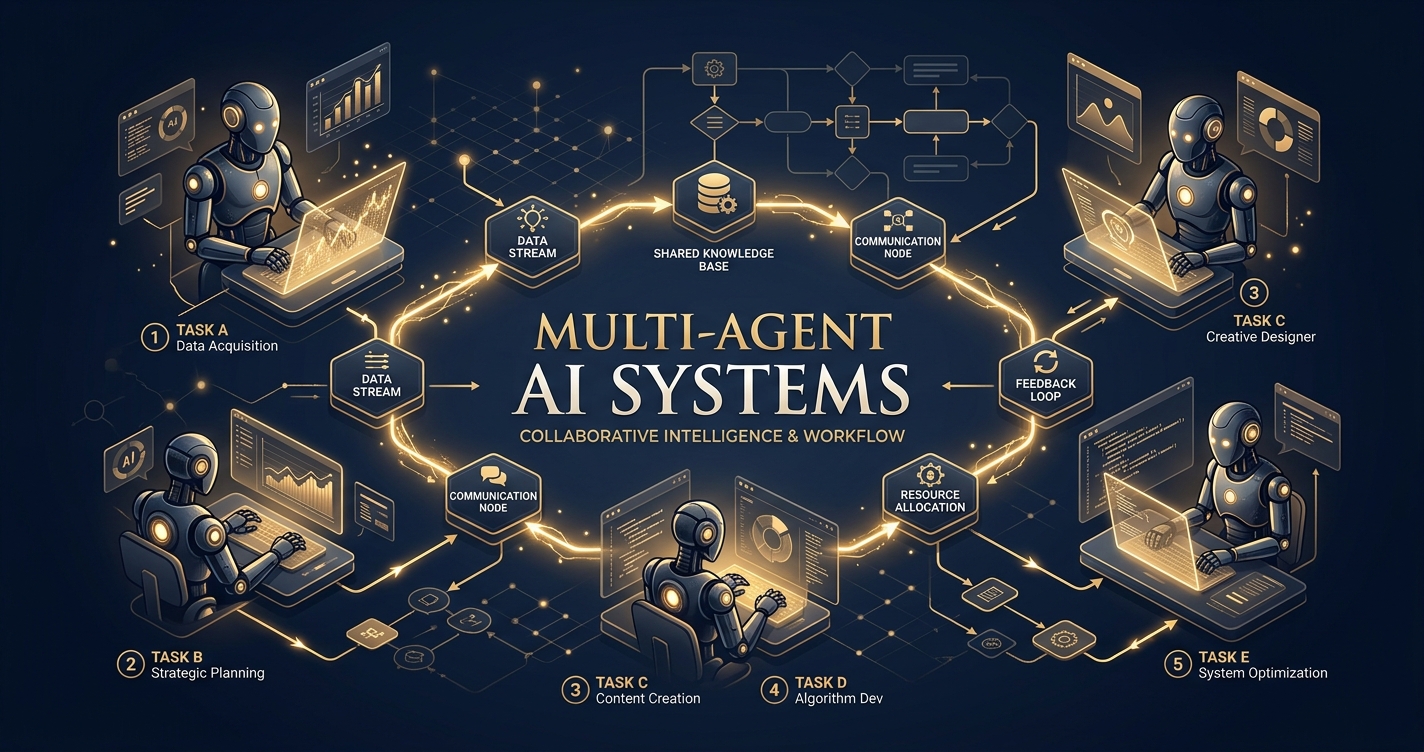
Alright, listen up. You’ve dabbled with LLMs. You’ve probably built a chatbot or summarized a document. That’s cute. But it’s time to get serious. We’re talking about building actual teams of AI that collaborate, delegate, and execute complex workflows like a well-oiled machine. This isn’t just about chaining prompts; it’s about creating autonomous entities that can solve problems far beyond what a single, monolithic LLM ever could.
Welcome to the future of automation, powered by multi-agent systems. And today, we’re diving headfirst into CrewAI, a framework that makes orchestrating these digital dream teams not just possible, but damn near easy.
Forget the hype. We’re here to build. We’re here to make AI do real work. Let’s get started.
What’s the Big Deal with Multi-Agent Systems, Anyway?
You’ve got a powerful LLM. Why not just give it a massive prompt and let it figure everything out? Because even the smartest individual has limits. Complex problems often require specialized knowledge, distinct perspectives, and sequential steps that are best handled by different experts.
Multi-agent systems mimic human teams. Imagine trying to build a rocket with just one engineer who also has to be the physicist, the materials scientist, the project manager, and the marketing director. It’s a recipe for disaster. But give each of those roles to a specialized expert, and suddenly, you’ve got a shot at Mars.
That’s the power of multi-agent AI. You break down a monolithic problem into manageable, specialized tasks, assign them to AI agents with distinct skills and roles, and let them collaborate to achieve a common goal. This leads to:
- Better Accuracy: Specialized agents focus on specific domains, reducing hallucination and improving output quality.
- Increased Robustness: If one agent struggles, others can pick up the slack or provide different angles.
- Scalability: Easily add or remove agents/tasks as your problem complexity evolves.
- Modularity: Agents are reusable components, making your system design cleaner and more efficient.
- Tackling Complexity: Breaking down intricate problems into smaller, manageable chunks.
Still think one giant prompt is enough? Get real.
Why Should You Choose CrewAI for Building AI Teams?
There are other frameworks out there — LangGraph, AutoGen, to name a couple. So, why CrewAI? It boils down to a few key differentiators that make it exceptionally user-friendly for getting multi-agent systems off the ground quickly.
CrewAI is built on top of LangChain, leveraging its robust ecosystem of LLM integrations and tools, but it adds a layer of intuitive abstraction specifically for agent orchestration.
What Core Concepts Define CrewAI’s Approach?
CrewAI simplifies the complex dance of multi-agent collaboration into four core components:
- Agents: These are your digital employees. Each agent has a
role, agoal, and abackstory. This defines their personality, expertise, and what they’re trying to achieve. They can also be equipped withtools. - Tasks: The actual work units. A
Taskdefines what needs to be done, providesexpected_outputcriteria, and specifies whichagentis responsible for it. Tasks can be sequential or collaborative. - Tools: The agent’s hands. These are functions that agents can use to interact with the external world – searching the web, reading files, making API calls, writing code, etc. CrewAI integrates seamlessly with LangChain’s tool ecosystem.
- Crews: The team itself. A
Creworchestrates the agents and tasks. It defines theprocess(sequential or hierarchical), manages communication, and ensures tasks are completed.
This clear separation of concerns makes designing, debugging, and scaling your multi-agent systems incredibly intuitive.
CrewAI vs. Other Multi-Agent Frameworks: A Quick Look
Let’s put it in perspective. While other frameworks offer powerful capabilities, CrewAI often wins on ease of initial setup and clarity for common use cases.
| Feature | CrewAI | LangGraph | AutoGen |
|---|---|---|---|
| Primary Focus | Intuitive multi-agent orchestration | State-machine based agent graphs | Conversational AI agents, human-AI collaboration |
| Ease of Setup | High – clear agent/task/crew abstraction | Moderate – requires understanding graph concepts | Moderate – flexible but can be verbose |
| Agent Definition | Role, Goal, Backstory, Tools | Nodes in a graph, often function-based | Speaker proxies, user proxies |
| Task Orchestration | Sequential, Hierarchical processes | Explicit graph edges and state transitions | Group chats, auto-reply based on intent |
| Tool Integration | Native LangChain tools | Native LangChain tools | Custom functions, FSMs |
| Collaboration Model | Defined processes, delegate/review | Explicit routing and conditional transitions | Free-form chat, user intervention |
| Ideal Use Case | Structured workflows, content creation, research, automation | Complex, conditional logic flows, RAG | Code generation, interactive problem-solving |
| Pythonic API | Very Pythonic, object-oriented | Functional, graph-oriented | Class-based, highly configurable |
For most practical automation tasks where you need a team of AIs to perform a sequence of steps, research, or generate output collaboratively, CrewAI provides an excellent balance of power and simplicity.
Setting Up Your CrewAI Environment: No Excuses
Before we build anything, you need a proper workspace. This isn’t optional; it’s fundamental.
What Do You Need to Get Started?
- Python 3.9+: Don’t be that person running ancient Python.
crewailibrary: Obviously.- LLM Provider API Key: You need a brain for your agents. OpenAI is the default and often easiest. Anthropic, Google Gemini, and others are also supported. For this tutorial, we’ll assume OpenAI.
- Optional: Serper API Key (or similar): For web search capabilities. Agents without internet access are like researchers without libraries – useless.
How Do You Install CrewAI and Dependencies?
First, create a virtual environment. Seriously, do it. It keeps your project dependencies clean.
python -m venv crewai_env
source crewai_env/bin/activate # On Windows, use `crewai_env\Scripts\activate`
Now, install CrewAI and any other tools you’ll need.
pip install crewai 'crewai[tools]' openai python-dotenvcrewai: The core framework.crewai[tools]: Installs common tools likesearch_tools(which uses Serper, ScrapeGraphAI, etc.).openai: The client for OpenAI’s API.python-dotenv: For managing your API keys securely.
Where Do You Store Your API Keys Securely?
Never hardcode your API keys. We’re adults here. Use .env files.
Create a file named .env in your project root:
OPENAI_API_KEY="sk-your-openai-key-here"
SERPER_API_KEY="your-serper-api-key-here"
Then, in your Python script, you’ll load these:
import os
from dotenv import load_dotenv
load_dotenv() # Load environment variables from .env file

# Now you can access them
openai_api_key = os.getenv("OPENAI_API_KEY")
serper_api_key = os.getenv("SERPER_API_KEY")
With the setup out of the way, let’s build something useful.
Project: The Automated Content Brief Generator
We’re going to build a multi-agent system that acts like a mini-content agency. Its goal: to research a given topic, identify key trends, outline a blog post, and generate a comprehensive content brief. This involves multiple specialized roles and tasks.
What is Our Goal for This Project?
To generate a detailed content brief for a blog post on a user-specified topic. The brief should include:
- Target Audience
- Key SEO Keywords
- Main Points/Headings
- Key Insights/Data Points
- Call to Action Suggestions
- Competitor Analysis (brief)
What Agents Will We Need for This Task?
- Researcher Agent: Gathers information, identifies trends, finds data.
- SEO Analyst Agent: Determines relevant keywords and search intent.
- Content Strategist Agent: Structures the brief, outlines the post, defines audience.
What Tools Will Our Agents Use?
For simplicity and effectiveness, we’ll use a powerful web search tool. CrewAI integrates with SerperDevTool (requires SERPER_API_KEY).
from crewai_tools import SerperDevTool

# Initialize the tool
search_tool = SerperDevTool()
Step-by-Step Implementation: Building Our Crew
Let’s break down the code. Create a Python file, say content_brief_crew.py.
1. Import Necessary Modules and Load Environment Variables
import os
from dotenv import load_dotenv
from crewai import Agent, Task, Crew, Process
from crewai_tools import SerperDevTool

# Load all environment variables from .env file
load_dotenv()

# Set up your OpenAI API key - CrewAI uses it by default
# os.environ["OPENAI_API_KEY"] = os.getenv("OPENAI_API_KEY")
# os.environ["SERPER_API_KEY"] = os.getenv("SERPER_API_KEY") # CrewAI tools need it directly sometimes

# You can also pass the LLM explicitly to agents or crew
from langchain_openai import ChatOpenAI
openai_llm = ChatOpenAI(model_name="gpt-4o", temperature=0.7) # Using gpt-4o for better reasoning and speed
Self-correction: While os.getenv works, crewai and crewai_tools often expect keys to be directly in os.environ for auto-discovery, or passed explicitly. It’s good practice to set them immediately after loading dotenv. I’ll use gpt-4o for better performance, but gpt-3.5-turbo works too, just expect less nuanced results.
2. Define Our Tools
# Initialize the SerperDevTool for web searching
search_tool = SerperDevTool()
3. Define Our Agents
This is where you give your AIs personality and purpose. Be specific with role, goal, and backstory.
# Agent 1: Researcher
researcher = Agent(
    role='Senior Research Analyst',
    goal='Uncover groundbreaking insights and data points on {topic}',
    backstory="""As a Senior Research Analyst at a leading tech research firm, your expertise lies in digging deep into complex topics,
                 extracting critical information, and identifying emerging trends. You're meticulous, thorough, and have a knack
                 for finding the most relevant and impactful data.""",
    verbose=True,
    allow_delegation=False, # This agent focuses on its own research
    tools=[search_tool],
    llm=openai_llm # Explicitly assign LLM
)

# Agent 2: SEO Analyst
seo_analyst = Agent(
    role='SEO & Keyword Strategist',
    goal='Identify high-impact, relevant keywords and optimize content for search engines for {topic}',
    backstory="""You are a seasoned SEO expert with a proven track record of boosting organic traffic.
                 Your mission is to analyze search intent, competitive landscapes, and keyword difficulty
                 to provide a strategic list of keywords that will make our content rank.""",
    verbose=True,
    allow_delegation=False,
    tools=[search_tool], # SEO analysis also benefits from web search
    llm=openai_llm
)

# Agent 3: Content Strategist
content_strategist = Agent(
    role='Lead Content Strategist',
    goal='Craft a comprehensive and engaging content brief for a blog post on {topic}',
    backstory="""You are a visionary Lead Content Strategist, responsible for transforming raw research and SEO insights
                 into compelling content outlines. Your expertise ensures the content resonates with the target audience,
                 achieves its purpose, and stands out in a crowded digital landscape. You understand how to structure
                 information for maximum impact and engagement.""",
    verbose=True,
    allow_delegation=True, # This agent coordinates and reviews
    llm=openai_llm
)
Crucial detail: verbose=True is your best friend for debugging. allow_delegation=True lets an agent pass a sub-task to another agent if it deems it necessary, which is powerful but can be complex. For a sequential flow like ours, False is fine for the initial agents, with the content_strategist being able to delegate if needed (though we won’t explicitly show it in tasks here).
4. Define Our Tasks
Tasks are the specific actions. They should be clear, have defined inputs, and specify expected_output.
# Task 1: Research the topic
research_task = Task(
    description="""Conduct an in-depth research on the provided topic: '{topic}'.
                   Identify key trends, statistics, influential figures, recent developments, and potential controversies.
                   Focus on gathering comprehensive and diverse information that will serve as the foundation for the content brief.""",
    expected_output="""A detailed report summarizing all key findings, trends, and data points related to '{topic}'.
                       Include URLs for verification. The report should be structured for easy consumption by a content strategist.""",
    agent=researcher
)

# Task 2: Perform SEO analysis
seo_task = Task(
    description="""Perform a thorough SEO analysis for the topic: '{topic}'.
                   Identify primary keywords, secondary keywords, long-tail keywords, and related search queries.
                   Also, briefly analyze the top 3 ranking competitors for search intent and common themes.
                   Suggest optimal keyword density and placement strategies.""",
    expected_output="""A structured list of primary, secondary, and long-tail keywords with estimated search volume and difficulty.
                       A brief analysis of competitor's content focus and suggested keyword integration strategies.
                       Format as a JSON or clear bullet points.""",
    agent=seo_analyst
)

# Task 3: Create the content brief
content_brief_task = Task(
    description="""Using the research findings and SEO analysis, craft a comprehensive content brief for a blog post on '{topic}'.
                   The brief MUST include:
                   - Target Audience (detailed persona)
                   - Key SEO Keywords (primary, secondary, long-tail from SEO report)
                   - Main Points/Headings (a structured outline for the blog post)
                   - Key Insights/Data Points (from research, with sources)
                   - Call to Action Suggestions
                   - Competitor Analysis Summary (based on SEO report)
                   - Tone and Style Guide (e.g., formal, informal, bold, informative)
                   Ensure the brief is actionable and provides all necessary information for a writer to create a high-quality article.""",
    expected_output="""A complete, well-structured content brief document in markdown format,
                       ready for a writer to use. All sections specified in the description must be present and detailed.""",
    agent=content_strategist,
    context=[research_task, seo_task] # This is crucial: the strategist needs the output of previous tasks
)
Crucial detail: context in a task definition means that the agent assigned to this task will have access to the output of the tasks listed in context. This is how agents pass information and collaborate.
5. Assemble and Run the Crew
Now, bring it all together. Define the Crew, its agents, tasks, and the process.
# Instantiate your crew
content_crew = Crew(
    agents=[researcher, seo_analyst, content_strategist],
    tasks=[research_task, seo_task, content_brief_task],
    process=Process.sequential, # Tasks run one after the other
    verbose=True, # Log all details of the execution
    full_output=True, # Get the full output including intermediate steps
    manager_llm=openai_llm # The crew itself can use an LLM for management if process is hierarchical
)

# Kick off the crew's work!
print("################### Crew Starting ###################")
topic_input = "The Impact of Quantum Computing on Cybersecurity in the Next Decade"
result = content_crew.kickoff(inputs={'topic': topic_input})

print("\n################### Crew Finished ###################")
print("## Final Content Brief ##")
print(result['final_output']) # Access the final output directly

# If you want to see all intermediate steps and outputs
# print("\n################### Full Output Log ###################")
# print(result['raw'])
Run this script from your terminal:
python content_brief_crew.pyYou’ll see a flurry of verbose output as each agent takes its turn, thinks, uses its tools, and passes its results along. Finally, you’ll get your comprehensive content brief.
Reviewing the Output and Iterating
After running the script, carefully review the final_output.
- Is the research thorough? If not, refine the
researcheragent’sgoalordescriptionforresearch_task. - Are the keywords relevant? Adjust the
seo_analyst’sgoalorseo_taskdescription. - Is the brief structured correctly? Tweak the
content_strategist’sgoalor, more importantly, thecontent_brief_task’sdescriptionandexpected_output. Be explicit about format requirements (e.g., “MUST include sections A, B, C”).
This iterative process of running, reviewing, and refining is key to building effective multi-agent systems. You’re not just coding; you’re orchestrating intelligence.
Advanced CrewAI Techniques and Best Practices
You’ve built your first crew. Now, how do you make it even better?
How Can You Manage LLM Costs Effectively?
Running multiple agents, especially with powerful models like GPT-4o, can get expensive fast.
- Choose the Right Model: Don’t use GPT-4o for simple tasks. Use
gpt-3.5-turbowhere possible. CrewAI allows you to specifyllmper agent or globally. - Be Concise in Prompts: Shorter, clearer
role,goal,backstory, andtaskdescriptions mean fewer tokens. - Manage
verbose: While great for debugging, turnverbose=Falsein production to reduce logging tokens. - Limit Tool Usage: Each tool call costs money (both the LLM call to decide to use the tool, and the tool’s own cost, e.g., Serper API). Design tasks to use tools only when absolutely necessary.
- Optimize
expected_output: Be specific about the output format and length. “A brief summary” is cheaper than “An exhaustive report.”
How Do You Handle Errors and Edge Cases?
Agentic systems are prone to unexpected behavior.
- Robust
expected_output: Clearly define what you expect. This helps the LLM “self-correct” and provides a clearer target. - Validation Steps: Add agents whose sole task is to validate the output of previous agents. For example, a “Fact Checker” agent.
- Retry Mechanisms: Implement logic to retry tasks if output doesn’t meet criteria or an API call fails. CrewAI doesn’t have this built-in for tasks, but you can wrap your
kickoffin atry-exceptblock. - Human-in-the-Loop: For critical workflows, build in review points where a human can approve or modify agent outputs before the next step.
Can You Create Custom Tools for Your Agents?
Absolutely. CrewAI leverages LangChain’s tool system. If SerperDevTool isn’t enough, you can write your own.
from crewai_tools import BaseTool

class SentimentAnalyzerTool(BaseTool):
    name: str = "Sentiment Analyzer"
    description: str = "Analyzes the sentiment of a given text (positive, negative, neutral)."

    def _run(self, text: str) -> str:
        # In a real scenario, this would call a sentiment analysis model/API
        # For demonstration:
        if "excellent" in text.lower() or "great" in text.lower():
            return "Positive"
        elif "bad" in text.lower() or "terrible" in text.lower():
            return "Negative"
        else:
            return "Neutral"

# Then, add it to an agent's tools:
# sentiment_tool = SentimentAnalyzerTool()
# reviewer = Agent(..., tools=[sentiment_tool])
This opens up limitless possibilities for integrating your agents with internal databases, custom APIs, or specialized models.
Real-World Impact: Where Do Multi-Agent Systems Shine?
This isn’t just academic. Companies are already leveraging multi-agent systems to drive efficiency and innovation.
What Are Some Verified Applications of Multi-Agent AI?
While specific dollar figures for “I made $X” are hard to verify and rarely publicly disclosed by companies, the general impact across industries is clear:
- Automated Content Generation and Marketing: Beyond our brief example, companies like Jasper and Copy.ai (which use similar underlying principles, though not necessarily CrewAI directly) demonstrate how AI teams can generate entire marketing campaigns, social media posts, and articles at scale. This significantly reduces time-to-market and operational costs for content production teams.
- Enhanced Customer Service: Advanced AI agent systems can manage complex customer inquiries, delegating parts of the interaction to specialized agents for technical support, billing, or product information. This leads to faster resolution times and improved customer satisfaction, reducing the burden on human agents and operational expenses.
- Data Analysis and Reporting: Financial institutions and research firms are deploying agent teams to analyze vast datasets, identify anomalies, generate predictive models, and draft comprehensive reports. This accelerates the decision-making process and uncovers insights that might be missed by human analysts alone, leading to more informed strategic planning.
- Software Development and QA: Agent teams can be tasked with generating code, writing unit tests, finding bugs, and even proposing refactors. Companies are seeing reductions in development cycles and improvements in code quality by augmenting human developers with AI collaborators, allowing human engineers to focus on higher-level architectural challenges.
- Scientific Research: In fields like drug discovery or materials science, multi-agent systems can simulate experiments, analyze results, and propose new hypotheses, drastically speeding up research cycles and potentially leading to breakthroughs by exploring a broader range of possibilities than traditional methods.
These applications, as observed in reports from industry analysts like Gartner, consistently point towards significant gains in productivity, cost efficiency, and innovation across various sectors, demonstrating the tangible business value of multi-agent AI.
Frequently Asked Questions
What’s the difference between Process.sequential and Process.hierarchical?
Process.sequential: Tasks are executed one after another in the order they’re defined in thetaskslist. The output of one task can be passed as context to the next. This is simpler and great for linear workflows.Process.hierarchical: A “manager agent” oversees the entire crew. It receives the overall goal and delegates sub-tasks to other agents. Agents can report back to the manager, and the manager can resolve conflicts or re-delegate. This is more flexible and powerful for complex, less predictable problems but requires amanager_llmand careful prompt engineering for the manager agent.
Can agents communicate directly with each other in CrewAI?
Yes, implicitly through task context. When context=[task1, task2] is set for task3, the agent performing task3 gets the output of task1 and task2. Also, with Process.hierarchical, the manager agent facilitates communication and delegation. CrewAI also supports a max_rpm (max rounds per message) parameter for agents to allow for back-and-forth iteration within a task.
How do I make my agents more “intelligent” or creative?
- Better LLM: Use a more capable LLM (e.g.,
gpt-4oorclaude-3-opus). - Detailed
role,goal,backstory: The more context and persona you give an agent, the better it can inhabit that role. - Specific
taskdescriptions andexpected_output: Clear instructions and success criteria guide the agent’s reasoning. - Relevant
tools: Giving agents the right tools to interact with the world significantly enhances their capabilities. - Temperature: Adjust the
temperatureparameter of your LLM (higher for creativity, lower for factual accuracy).
Is CrewAI free to use?
Yes, the CrewAI framework itself is open-source and free. However, you will incur costs for the underlying Large Language Models (LLMs) you use (e.g., OpenAI API, Anthropic API) and any external tools (like Serper API) that charge for usage. These costs depend on your usage volume and the specific models/tools chosen.
What are the common pitfalls when building multi-agent systems?
- Ambiguous Instructions: Agents struggle with vague
goalsortaskdescriptions. Be painfully specific. - Lack of Context: Agents not having access to necessary information from previous steps (forgetting to use
context). - Over-reliance on one agent: Not properly distributing specialized tasks.
- Debugging complexity: Without
verbose=True, it can be hard to track what went wrong. - Cost overruns: Not monitoring LLM token usage or tool calls.
- Hallucinations: LLMs can make things up; critical thinking and validation tasks are crucial.
Can CrewAI integrate with local LLMs?
Yes, CrewAI can integrate with any LLM that LangChain supports, which includes local models run via Ollama, Llama.cpp, or Hugging Face. You would configure your llm parameter (for agents or the crew) to point to your local LLM instance instead of ChatOpenAI.
Conclusion: Stop Prompting, Start Orchestrating
You’ve just built a fully functional multi-agent system with CrewAI. This isn’t just a party trick; it’s a fundamental shift in how we approach automation and problem-solving with AI. You’re no longer just talking to an AI; you’re building a team of specialists, each with their own mandate, collaborating to achieve a shared objective.
The potential here is enormous. From hyper-personalized content generation to automated research and complex data analysis, multi-agent systems are the next frontier. So, stop sending single prompts into the void and start orchestrating intelligent crews that get real work done.
The future isn’t about one super-AI; it’s about a symphony of specialized AIs working together. And you, my friend, are now a conductor. Go build something audacious.
Sources
> Want more like this?
Get the best AI insights delivered weekly.
By subscribing, you agree to our Privacy Policy. You can unsubscribe at any time.
> Related Articles
Autonomous Business Agents Need a Control Plane Before They Need More Tools
Pion's research preview connects persistent agents to business systems. Evidence from real vending, retail, and cafe trials shows why monitoring and bounded authority are the core product.
AI Systems Need Three Trust Layers: Verifiable Work, Managed Permissions, and Private Credentials
A cipher-solving agent, GitHub's enterprise controls, and Signal's zkgroup work point to the same production lesson: intelligence needs enforceable trust boundaries.
RAG Query-Rewriting Evaluation: Prove the Rewrite Finds Better Evidence
Query rewriting often sounds smarter while retrieving worse evidence. Evaluate rewrites against relevant documents, failure slices, and final grounded answers before shipping them.
Tags
> Stay in the loop
Weekly AI tools & insights.