AI Data Analysis Tools: ChatGPT vs Julius vs Hex — Which Crunches Numbers Best?
Tired of drowning in data? We pit ChatGPT's Advanced Data Analysis against Julius AI and Hex to find which AI crunches numbers best for *your* needs. No fluff, just facts.
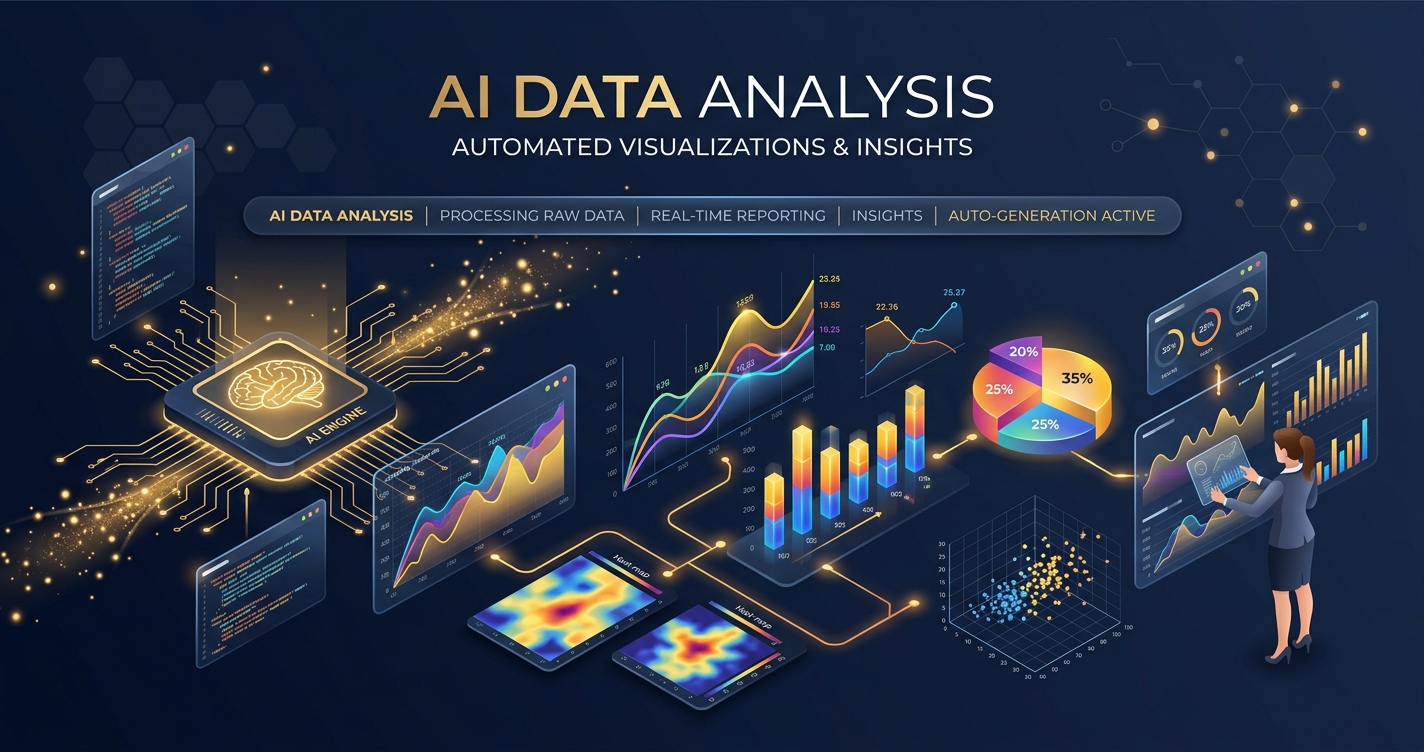
The data deluge isn’t coming; it’s already here, and most of you are neck-deep in it. Spreadsheets groan under the weight of billions of rows, dashboards flicker with anemic insights, and the sheer volume of information threatens to drown even the most seasoned analysts. Traditional tools? They’re buckling. Manual wrangling? A relic of a bygone era.
Enter AI. Not the hype-driven vaporware, but actual, tangible tools designed to chew through your numbers, spot patterns, and surface insights faster than you can say “pivot table.” But with every startup claiming to be the next data Messiah, how do you separate the signal from the noise?
Today, we’re cutting through the marketing fluff to pit three major players against each other: ChatGPT Advanced Data Analysis (formerly Code Interpreter), Julius AI, and Hex. Each promises to revolutionize how you interact with data, but they cater to vastly different needs, skill levels, and budgets.
This isn’t a beauty contest. This is a bare-knuckle brawl to determine which AI data analysis tool truly crunches numbers best for your specific grind. Let’s get dirty.
The Contenders: Who Are We Pitting Against Each Other?
Before we throw them into the ring, let’s get a lay of the land. Understanding each tool’s core philosophy and target audience is crucial for making an informed choice.
What is ChatGPT Advanced Data Analysis, Anyway?
For many, ChatGPT is synonymous with AI. Its Advanced Data Analysis (ADA) feature, initially launched as “Code Interpreter,” is OpenAI’s foray into making data analysis accessible via a natural language interface. It’s essentially ChatGPT with a built-in, sandboxed Python environment, complete with common data science libraries like Pandas, NumPy, Matplotlib, and Scikit-learn.
Capabilities:
- Natural Language Interaction: You talk to it, it talks back, often with surprising accuracy. Upload your CSV, Excel, or other data files, and ask it questions in plain English.
- Data Cleaning & Transformation: Can identify missing values, suggest imputation strategies, reformat columns, and pivot tables based on your prompts.
- Statistical Analysis: Perform descriptive statistics, run regressions, conduct hypothesis tests (though always verify its interpretations!).
- Visualization: Generate a variety of charts and plots (bar, line, scatter, histograms) to visualize your data.
- Code Generation & Execution: It writes and executes Python code behind the scenes. You can even ask it to show you the code it used.
Strengths:
- Accessibility: If you can type, you can use it. No coding required, making it incredibly powerful for non-technical users.
- Broad Knowledge Base: As an LLM, it can contextualize data queries with general knowledge, offering insights beyond just the numbers.
- Quick Insights: Excellent for rapid prototyping, sanity checks, and getting a quick understanding of a dataset.
- No Setup: It’s ready to go within your ChatGPT Plus subscription.
Limitations:
- Context Window: While improved, the context window can still be a bottleneck for very complex, multi-step analyses. It can “forget” previous instructions.
- Data Privacy & Security: For sensitive or proprietary data, uploading it to a public-facing LLM service always carries inherent risks. While OpenAI has policies, a direct upload to their servers means giving up some control.
- Reproducibility: Sessions are somewhat ephemeral. While you can review chat history, replicating an exact analysis across sessions can be tricky without careful prompt engineering.
- Dataset Size: There are practical limits to file size and the amount of data it can efficiently process within its environment. It’s not built for petabytes.
- Not a Dedicated IDE: It’s a fantastic assistant, but it won’t replace a full-fledged data science environment for complex, production-grade work.
Pricing: Included as part of ChatGPT Plus ($20/month), ChatGPT Team ($25/user/month billed annually), or ChatGPT Enterprise. No separate charge for ADA.
Decoding Julius AI: Your Personal AI Data Analyst?
Julius AI positions itself as a specialized AI data analyst, designed to be more focused and robust than a general-purpose LLM for numerical tasks. Think of it as a souped-up Excel analyst powered by AI, but with far more flexibility and intelligence. It aims to bridge the gap between pure natural language tools and more technical data science platforms.
Capabilities:
- Diverse Data Ingestion: Supports a wide array of file types including CSV, Excel, Google Sheets, SQL databases, and even PDFs.
- Natural Language Queries: Similar to ChatGPT, you can ask questions about your data in plain English.
- Advanced Data Manipulation: Can clean, transform, merge, and reshape datasets effectively.
- Statistical Modeling: Performs regressions, clustering, time-series analysis, and other statistical operations.
- Interactive Visualizations: Generates a variety of dynamic charts and graphs, often with better customization and interactivity than vanilla ChatGPT.
- Code Generation (Python/R): Not only executes code but can also generate and explain Python or R code snippets relevant to your analysis.
- Persistent Workspaces: Allows you to save your analysis and pick up where you left off, offering better reproducibility than ChatGPT’s conversational flow.
Strengths:
- User-Friendly Focus: Built from the ground up for data analysis, making it intuitive for business users, marketers, and analysts without a coding background.
- Handles Larger Datasets: Generally more capable of handling larger files and more complex datasets compared to ChatGPT ADA.
- Dedicated Environment: Its interface and features are all geared towards data work, reducing distractions and improving workflow efficiency.
- Enhanced Visualization: Often produces more polished and customizable visualizations, crucial for presentations.
- Better Reproducibility: Persistent workspaces mean you can return to and iterate on analyses.
Limitations:
- Less General Knowledge: While excellent for data, it doesn’t have the broad conversational capabilities of ChatGPT.
- Subscription Cost: While offering a free tier, robust usage requires a paid subscription.
- Still LLM-Dependent: Its analytical prowess is still tied to the underlying LLM’s interpretation capabilities, which can sometimes lead to “hallucinations” or misinterpretations.
- Not a Full-Fledged IDE: While more powerful than ChatGPT ADA, it’s still not a replacement for a professional data science environment like Hex or a local Jupyter setup.
Pricing:
- Free Tier: Limited queries, small file size.
- Starter: $29/month (or $19/month billed annually) for more queries, larger files, and advanced features.
- Pro: $49/month (or $39/month billed annually) for even higher limits and priority support.
Is Hex the Professional’s Choice for AI-Powered Data Workflows?
Hex is a different beast entirely. It’s not just an AI data analysis tool; it’s a collaborative data workspace built around a notebook-first environment. Think Jupyter Notebooks, but supercharged with cloud infrastructure, AI assistance, deep integrations, and robust collaboration features. Hex targets data teams, analysts, and scientists who need to do more than just quick ad-hoc analysis – they need to build, share, and operationalize data projects.
Capabilities:
- Multi-Language Notebooks: Supports Python, SQL, and R in a single, interactive notebook environment.
- Deep Data Integrations: Connects directly to a vast array of data sources, from cloud warehouses (Snowflake, BigQuery, Redshift) to databases, APIs, and file storage.
- AI Code Generation & Explanation: AI features assist in writing SQL queries, Python code, and even generating explanations or debugging suggestions within the notebook.
- Interactive Data Apps: Turn analyses into shareable, interactive data applications for non-technical stakeholders.
- Collaboration & Version Control: Real-time collaboration, built-in Git integration, and robust versioning make teamwork seamless and reproducible.
- Production Readiness: Tools for scheduling, parameterization, and deployment allow analyses to move from exploration to production.
- Robust Governance & Security: Designed for enterprise use, with features like SSO, audit logs, and fine-grained access controls.
Strengths:
- Reproducibility & Collaboration: Industry-leading features for team-based data work, ensuring everyone is on the same page and analyses can be rerun consistently.
- Powerful Environment: Combines the flexibility of code with the interactivity of a modern web application. You’re not limited by an LLM’s interpretation; you write the code.
- End-to-End Workflow: Supports everything from raw data connection and exploration to building interactive apps and deploying scheduled reports.
- Scalability: Built on cloud infrastructure, it can handle significant data volumes and computational demands.
- Control & Customization: Full control over your code, environment, and outputs.
Limitations:
- Steeper Learning Curve: Requires at least some familiarity with SQL, Python, or R. It’s not a “no-code” solution, though its AI assists with code.
- Higher Price Point: Geared towards teams and enterprises, its pricing reflects its robust feature set and infrastructure.
- Overkill for Simple Tasks: If you just need to quickly summarize a small CSV, Hex is like using a rocket launcher to swat a fly.
- Not an LLM-First Interface: While it has AI assistance, the primary interface is still a code notebook, not a natural language chat.
Pricing:
- Free Trial/Tier: Available for individual use with limited features.
- Team: Starting at $75/user/month (billed annually) for core collaboration and features.
- Enterprise: Custom pricing for advanced security, integrations, and dedicated support.
Head-to-Head: Where the Rubber Meets the Road
Now that we understand what each contender brings to the table, let’s put them side-by-side on critical battlegrounds.
How Do Their Core Data Analysis Capabilities Stack Up?
| Feature | ChatGPT Advanced Data Analysis | Julius AI | Hex |
|---|---|---|---|
| Primary Use Case | Quick ad-hoc insights, learning, brainstorming, small datasets | Business analysis, exploratory data analysis, quick reporting, non-coders | Collaborative data science, complex analytics, data apps, production workflows, data teams |
| Target Audience | Non-technical users, learners, generalists | Business users, marketers, analysts (light technical knowledge helpful) | Data scientists, data analysts, data engineers, developers, technical teams |
| Data Ingestion | Uploads (CSV, Excel, JSON, TXT, etc.), limited size | Uploads (CSV, Excel, Google Sheets, SQL, PDF), larger size limits | Direct connections (Snowflake, BigQuery, Redshift, SQL DBs, APIs, S3, GCS, etc.), very large datasets |
| Core AI Function | Natural language to Python code generation and execution | Natural language to Python/R code generation and execution, interactive chat | AI code generation (SQL, Python), explanation, debugging within notebook environment |
| Code Capabilities | Executes Python (Pandas, NumPy, Matplotlib, Scikit-learn) | Executes Python/R, can show generated code | Full Python, SQL, R notebook environment, custom libraries, environment management |
| Statistical Depth | Basic to intermediate (descriptive, regression, hypothesis testing) | Intermediate to advanced (time series, clustering, advanced modeling) | Full statistical modeling capabilities via Python/R libraries |
| Computational Power | Moderate, limited by session resources | Moderate to high, optimized for data tasks | Scalable cloud compute, configurable resources |
| Accuracy & Verifiability | Relies on LLM interpretation, potential for “hallucinations” | Generally good, but still LLM-dependent, always verify | Code-driven, explicit control, high accuracy if code is correct |
Visualizing the Truth: Which Tool Paints the Clearest Picture?
Data without visualization is just numbers on a page. The ability to quickly and effectively visualize insights is paramount.
- ChatGPT ADA: Generates standard plots (bar, line, scatter, histogram, box plots) using Matplotlib. The output is static and basic. You can request specific chart types and some customization via prompts, but don’t expect interactive dashboards. It’s good enough for understanding trends or distributions in a chat.
- Julius AI: Steps up the game here. It offers more interactive and polished visualizations. You can often click on charts to drill down or change parameters. It aims for presentation-ready graphics and allows for more granular control over chart types and aesthetics through natural language. Its focus on business users means better default visuals.
- Hex: This is where Hex shines for professional use. Because you’re writing code (or having AI assist you), you have the full power of Python libraries like Matplotlib, Seaborn, Plotly, and Bokeh at your fingertips. This means highly customized, interactive, and complex visualizations are possible. Furthermore, Hex’s ability to turn notebooks into interactive data apps means you can build full-fledged dashboards with dynamic filters and inputs, far surpassing the capabilities of the other two.
Takeaway: For quick, static visuals, ChatGPT is fine. For better, slightly interactive business charts, Julius is a strong contender. For truly custom, interactive, and production-ready data applications, Hex is in a league of its own.
The Human Factor: User Experience and Collaboration
Nobody works in a vacuum (unless you’re a rogue AI, in which case, hello there). How these tools facilitate human interaction, both with the interface and with other humans, is critical.
- ChatGPT ADA: The UX is simply a chat window. It’s intuitive because everyone knows how to chat. Collaboration is limited to sharing chat transcripts, which isn’t ideal for iterative data work. Reproducibility means carefully saving prompts and outputs, which can be cumbersome.
- Julius AI: The UX is still chat-centric but within a more structured data-focused environment. You upload data, chat, and see results. It introduces persistent “projects” or “notebooks” where your work is saved, improving reproducibility. Collaboration features are nascent but generally revolve around sharing links to analyses.
- Hex: This is where Hex truly distinguishes itself. It’s built for teams. Real-time collaboration allows multiple users to work on the same notebook simultaneously, seeing changes instantly. Version control (integrated Git) ensures every change is tracked. Data apps can be shared with specific permissions. This means robust audit trails, clear ownership, and a highly collaborative workflow essential for professional data teams. The UX is that of a powerful, modern cloud IDE, which comes with a slightly steeper learning curve than a simple chat interface.
Takeaway: For solo, quick-and-dirty analysis, ChatGPT and Julius are easy wins on UX. For any serious, collaborative, or reproducible data work, Hex’s structured environment and collaboration features are non-negotiable.
Taming the Budget Beast: A Look at Pricing Models
Money talks, especially when you’re trying to convince the suits to invest in shiny new tech.
- ChatGPT Advanced Data Analysis: This is the “free with subscription” option. If you’re already paying for ChatGPT Plus, Team, or Enterprise, ADA is included. This makes its marginal cost effectively zero for existing subscribers, offering incredible value for its capabilities. The catch is you’re tied into the broader OpenAI ecosystem and its inherent limitations.
- Julius AI: Offers a tiered subscription model. The free tier is good for testing the waters but quickly hits limits. The Starter ($19/month annually) and Pro ($39/month annually) tiers are reasonably priced for individual analysts or small businesses who need a dedicated AI assistant but don’t require a full data science platform. It’s a clear investment for a tool specifically designed for data.
- Hex: Positioned for teams and enterprises, Hex’s pricing reflects its robust feature set, infrastructure, and governance capabilities. Starting at $75/user/month (annually) for the Team plan, it’s a significant investment. However, for organizations that need secure, scalable, collaborative, and production-ready data workflows, the cost is justified by increased efficiency, reduced overhead, and the ability to operationalize insights.
Takeaway: If budget is paramount and you’re already on ChatGPT Plus, ADA is your go-to. If you need more specialized AI data analysis without breaking the bank for a team, Julius offers a compelling middle ground. If you’re building a serious data operation with a team, Hex’s higher price point is an investment in a professional-grade platform.
Practical Application & Strategic Considerations
Choosing the right tool isn’t about finding the “best” in a vacuum; it’s about finding the best fit for your specific problem, team, and budget.
When Should You Reach for ChatGPT ADA?
- Quick Exploratory Analysis: You have a new dataset, and you just want to understand its basic structure, identify outliers, or get a feel for the distributions without opening a single line of code.
- Brainstorming & Hypothesis Generation: You need a thought partner to bounce ideas off. “What if we looked at sales by region and product category?” ChatGPT can quickly generate initial analyses.
- Learning & Experimentation: For those new to data analysis or Python, it’s an excellent sandbox to see how data transformations or statistical tests work without needing to set up an environment.
- Small, Non-Sensitive Datasets: When the data is not proprietary or highly sensitive, and the file size is manageable.
- Cost-Efficiency: If you already pay for ChatGPT Plus, it’s a powerful add-on at no extra cost.
Actionable Advice: Treat ChatGPT ADA as your personal, highly intelligent data assistant. Use it for initial dives, quick questions, and generating ideas. Always verify its outputs, especially for critical decisions. Do not use it for highly sensitive corporate data unless explicitly cleared by your organization’s IT/security policies.
Is Julius AI Your Go-To for Ad-Hoc Analysis?
- Business Users & Marketers: You need to answer specific business questions from various data sources (sales figures, campaign performance, customer demographics) quickly and visually, without relying on a data team.
- Enhanced Self-Service Analytics: Empowering non-technical teams to get answers directly, reducing bottlenecks on data teams.
- Interactive Visualizations: When you need more polished, interactive charts for reports or presentations than ChatGPT can provide, but don’t need full data app capabilities.
- Better Data Handling: When you frequently work with slightly larger files or need to connect to common data sources like Google Sheets or basic SQL databases.
- Improved Reproducibility for Individuals: If you need to revisit and iterate on your analyses without rebuilding prompts from scratch.
Actionable Advice: Consider Julius AI if you’re a business user who frequently grapples with data and finds ChatGPT ADA a bit too basic, but a full coding environment like Hex is overkill. It’s a significant upgrade for dedicated ad-hoc analysis.
Does Hex Solve Your Enterprise Data Headaches?
- Data Teams (Scientists, Analysts, Engineers): When you need a unified environment for coding, collaborating, and sharing complex data projects.
- Building Production-Ready Data Assets: From advanced machine learning models to scheduled reports and interactive data applications that need to be reliable and scalable.
- Complex Data Workflows: When your analysis involves multiple steps, diverse data sources, custom code, and requires robust version control and reproducibility.
- Collaboration & Governance: For organizations where multiple people work on data, security, compliance, and auditing are critical.
- Operationalizing Insights: Moving beyond just insights to actively embedding data-driven tools and applications into business processes.
Actionable Advice: If you’re part of a data-driven organization or a team building serious data products, Hex is an investment in your infrastructure. It’s designed to replace a fragmented workflow of local Jupyter notebooks, disparate dashboards, and manual reporting with a cohesive, collaborative, and controlled environment. Don’t touch it for single-user, quick CSV summaries.
What About Data Security and Privacy?
This is not a trivial concern, especially in the age of AI.
- ChatGPT ADA & Julius AI: When you upload data to these platforms, you are sending it to a third-party server. While both companies have privacy policies and data handling practices, the data is processed in their cloud environment. For highly sensitive or proprietary corporate data, this can be a major red flag. Always consult your organization’s data governance policies before uploading anything confidential. OpenAI, for instance, states that data submitted via their API is not used for model training by default, but the interactive chat interface is a different beast and often involves processing to improve the models.
- Hex: Designed with enterprise security in mind. Data stays within your connected databases and warehouses; Hex acts as a compute layer and an interface. It doesn’t typically ingest or store your raw data on its own servers in the same way an LLM chat interface might. It offers features like SSO, audit logs, and fine-grained access controls, making it a much safer bet for regulated industries or sensitive internal data, provided your own data sources are secure.
Actionable Advice: For any data beyond public information, understand exactly where your data is going, how it’s being used, and who has access. When in doubt, err on the side of caution. For truly sensitive data, self-hosted solutions or platforms like Hex with strong security postures and direct database connections are generally preferred over public LLM upload mechanisms.
Conclusion: The Right Tool for the Right Job
So, which AI data analysis tool crunches numbers best? The answer, as always, is “it depends.”
- ChatGPT Advanced Data Analysis is your accessible, conversational data assistant. It’s fantastic for rapid prototyping, learning, and getting quick insights from small, non-sensitive datasets. It’s the ultimate democratizer of basic data analysis.
- Julius AI is the specialized AI analyst for business users. It steps up from ChatGPT with better data handling, more robust visualizations, and a dedicated interface for iterative analysis, ideal for those who need actionable insights without diving into code.
- Hex is the professional’s choice – a collaborative, code-first data workspace designed for teams to build, share, and operationalize complex data projects with high reproducibility and robust governance. It’s for serious data work, not casual chats.
There isn’t a single victor in this battle because their strengths lie in their distinct purposes. The “best” tool is the one that aligns with your skill level, the complexity of your data tasks, your team’s collaboration needs, and your organization’s security requirements.
Stop chasing the mythical “one tool to rule them all.” Instead, understand your problem, assess your resources, and pick the weapon that gives you the best chance of dominating your data.
Frequently Asked Questions
Q1: Can these tools replace a human data analyst?
A: No, not entirely. While these tools automate repetitive tasks, generate code, and accelerate insight generation, they lack the critical thinking, domain expertise, strategic foresight, and nuanced communication skills of a human analyst. They are powerful assistants that augment human capabilities, not replacements. The analyst’s role shifts from manual data wrangling to guiding the AI, interpreting its outputs, validating findings, and translating complex data into actionable business strategies.
Q2: How accurate are AI data analysis tools?
A: The accuracy varies significantly. Tools like ChatGPT ADA and Julius AI, which rely heavily on underlying LLMs for interpretation and code generation, can sometimes “hallucinate” or misinterpret data, leading to incorrect analyses or misleading visualizations. This is why human oversight and verification are crucial. Hex, being a code-first environment, is as accurate as the code you (or the AI assistant) write and execute. The more explicit control you have over the code, the higher the potential for accuracy and reproducibility, provided the code itself is correct.
Q3: What are the biggest limitations of AI for data analysis?
A: Key limitations include:
- Context Understanding: LLMs can struggle with highly nuanced or domain-specific context, leading to misinterpretations.
- Data Quality: AI tools can’t magically fix bad data. “Garbage in, garbage out” still applies.
- Ethical Considerations: Bias present in historical data can be amplified by AI, leading to discriminatory or unfair insights.
- Security & Privacy: Uploading sensitive data to public-facing LLMs poses significant risks.
- Lack of Strategic Insight: AI can identify patterns but cannot formulate business strategy or understand the “why” behind human behavior in the same way an experienced analyst can.
- Reproducibility: Ensuring an analysis can be reliably rerun and produce the exact same results can be challenging with conversational AI tools.
Q4: Is it safe to upload sensitive data to these platforms?
A: Generally, no, not without extreme caution and explicit organizational approval. Public-facing LLM services like ChatGPT and Julius AI process data on their servers, which might not align with your organization’s data governance, compliance, or privacy policies (e.g., GDPR, HIPAA). Hex, designed for enterprise, offers much stronger data security by connecting directly to your secure data sources and not storing your raw data on its own platform in the same way. Always consult your company’s IT and legal departments before sharing any proprietary or sensitive information with third-party AI tools.
Q5: Do I need to know how to code to use these tools?
A:
- ChatGPT Advanced Data Analysis: No coding required. You interact purely through natural language.
- Julius AI: No coding required. It’s designed for natural language interaction, though understanding basic data concepts is helpful.
- Hex: Yes, generally. While Hex offers AI assistance for code generation (SQL, Python), its primary interface is a notebook where you write and execute code. It’s geared towards users who are comfortable with, or learning, programming languages like Python, SQL, or R.
Q6: Which tool is best for beginners?
A: For absolute beginners with no coding experience, ChatGPT Advanced Data Analysis is arguably the most accessible and easiest to start with, especially if you already have a ChatGPT Plus subscription. Julius AI is a close second, offering a dedicated, user-friendly experience for data analysis without requiring code. Hex, with its code-centric environment, has a steeper learning curve and is better suited for users who are already familiar with coding or are ready to dive into it.
Sources
> Want more like this?
Get the best AI insights delivered weekly.
By subscribing, you agree to our Privacy Policy. You can unsubscribe at any time.
> Related Articles
AI Agent Memory Governance: Decide What the System May Remember
Agent memory improves continuity but creates privacy, security, and correctness risks. Design consent, retention, provenance, deletion, and retrieval boundaries before storing user context.
LLM Abstention Policies: Teach Production AI When Not to Answer
A reliable AI system needs a controlled way to say it lacks evidence, permission, or confidence. Design abstention triggers, user recovery paths, and evaluation metrics.
Agentic Browsers in 2026: Which AI Tools Can Actually Finish the Job?
AI browsers promise to click, compare, book, and build for you. Most still stumble. Here are the tools that actually deserve your trust in 2026.
Tags
> Stay in the loop
Weekly AI tools & insights.