AI Translation Tools: DeepL vs Google Translate vs Claude — Who Wins the Language War?
Tired of AI translation tools promising the moon but delivering gibberish? We pit DeepL, Google Translate, and Claude against each other to find the real champion.
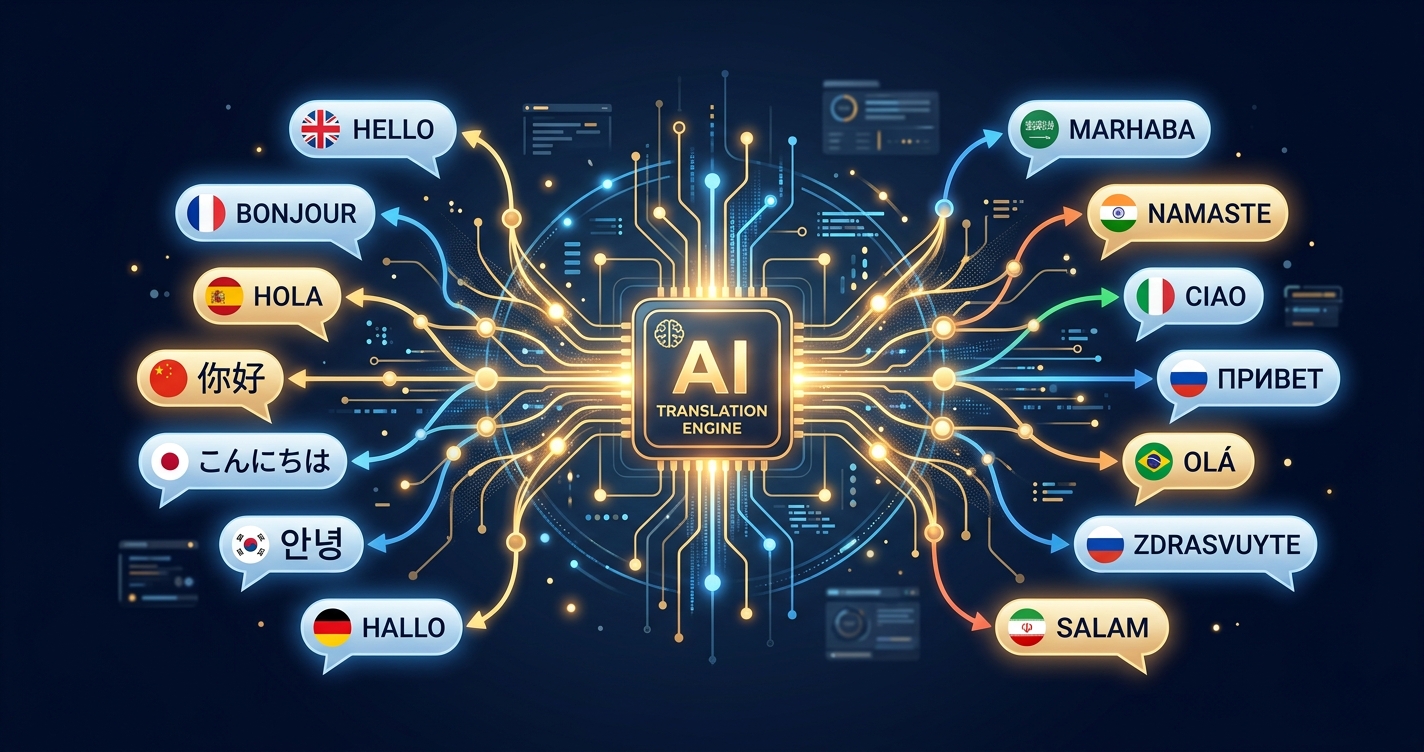
The world shrunk, then the internet connected it, and now AI is supposed to make it speak a single language. Or at least, help us understand each other without resorting to awkward charades or worse, mistranslations that could sink a business deal faster than a lead balloon in a swamp.
We’re talking about AI translation tools, those digital polyglots promising to bridge the linguistic divide. But in a landscape littered with contenders, who actually delivers the goods? Who can truly capture nuance, handle complex documents, and not bankrupt you in the process?
Today, we’re pitting three heavyweights against each other: DeepL, the darling of European language translation; Google Translate, the ubiquitous, often-maligned, but undeniably powerful veteran; and Claude, Anthropic’s sophisticated large language model, entering the ring with its impressive contextual understanding.
This isn’t a beauty contest. This is a language war. We’re dissecting their accuracy, their handling of complex documents, their API pricing, and their ability to grasp the subtle dance of human communication. Forget the marketing fluff. Let’s get real about what these tools can actually do for you.
DeepL: The Nuance Ninja or Overhyped?
DeepL burst onto the scene years ago, quickly earning a reputation for producing translations that felt… well, human. While Google Translate often churned out literal, clunky prose, DeepL seemed to understand the art of a natural sentence. But is this reputation still deserved, especially with LLMs like Claude now in play?
What Makes DeepL Stand Out in Translation?
DeepL’s core strength lies in its neural network architecture, specifically trained on a massive corpus of high-quality multilingual texts. This isn’t just about word-for-word replacement; it’s about understanding the context and idiomatic expressions within sentences. For European languages, particularly German, French, Spanish, and Dutch, DeepL often delivers unparalleled quality. It’s the go-to for many professionals who need polished output without extensive post-editing.
One of DeepL’s genuinely useful features is its ability to adjust the formality of the translation. Need something for a casual chat? Or a formal business email? DeepL allows you to toggle between formal and informal tones in supported languages like German, French, Italian, Polish, Spanish, and Dutch. This seemingly small detail makes a colossal difference in professional contexts, helping you avoid accidental offense or sounding inappropriately casual.
Furthermore, DeepL offers a Glossary feature, allowing users to define specific terms, brand names, or industry jargon that should always be translated (or not translated) in a particular way. This is a major change for consistency, especially for businesses with proprietary terminology or legal documents. Imagine translating a patent where a specific term must always be rendered identically. DeepL’s glossary ensures that.
However, DeepL’s language support, while growing, is still more limited than Google Translate’s. As of early 2024, DeepL supports around 30 languages, focusing on high-quality output for these rather than sheer breadth. If you’re dealing with less common languages, you might hit a wall.
How Does DeepL Handle Document Translation?
This is where DeepL genuinely shines for many businesses and individuals. DeepL Pro allows for the direct translation of entire documents, maintaining their original formatting. We’re talking about:
- Microsoft Word (.docx)
- PowerPoint (.pptx)
- PDF (.pdf)
- Text (.txt)
- HTML (.html)
- XLIFF (.xlf)
You simply upload your document, select the target language, and DeepL spits out a translated version that largely preserves the layout, images, and other elements. This significantly cuts down on the manual labor of reformatting documents after translation. For anyone who’s ever tried to copy-paste a translated PDF back into its original layout, you know the pain this solves.
For professional use, this is a huge efficiency booster. Imagine a marketing team needing to translate brochures or presentations for international markets. DeepL handles the heavy lifting, allowing designers and copywriters to focus on minor tweaks rather than rebuilding entire documents.
What’s the Deal with DeepL’s API Pricing and Use Cases?
DeepL offers a tiered pricing structure that caters to different needs, from casual users to large enterprises.
- DeepL Free: Limits on text length, no document translation, no glossary. Good for quick checks, but not serious work.
- DeepL Pro (Starter, Advanced, Ultimate plans): These are subscription-based for individuals and teams, offering unlimited text translation, full document translation capabilities, and glossary features. Pricing varies based on the number of users and specific features, starting around €7.49 per month for the Starter plan (as of early 2024). This is ideal for professionals, freelancers, and small teams.
- DeepL API: For developers and businesses looking to integrate DeepL’s translation capabilities into their own applications, websites, or internal systems. The API pricing is usage-based, typically charging per character translated.
- DeepL API Free: Offers 500,000 characters per month for free, which is generous for testing or low-volume applications.
- DeepL API Pro: Starts at €4.99 per month plus a usage fee of €20 per 1,000,000 characters translated (as of early 2024). This makes it highly scalable.
Typical Use Cases for DeepL API:
- Customer Support: Automatically translate incoming support tickets or chat messages.
- Website Localization: Translate dynamic content on websites or e-commerce platforms.
- Internal Communications: Bridge language gaps in multinational companies.
- Content Creation: Assist content creators in translating articles, blogs, or social media posts.
For example, a study by Capgemini and DeepL highlighted how companies leveraging DeepL for internal communication and documentation could see significant time savings and improved employee satisfaction by breaking down language barriers. While not a direct “income” claim, this translates directly into operational efficiency and reduced costs associated with traditional translation services.
Google Translate: The Ubiquitous Giant – Still Relevant?
Google Translate is the OG, the default, the tool everyone knows. It’s integrated into browsers, apps, and often the first port of call for a quick translation. But does its sheer accessibility and breadth of language support still make it a contender for serious translation work, especially against more specialized tools?
Where Does Google Translate Shine (and Stumble)?
Google Translate’s primary advantage is its sheer scale and language coverage. It supports over 130 languages, from the most common to many that DeepL or even Claude might struggle with. This makes it invaluable for quick, rough translations across a vast linguistic spectrum. If you need to understand the gist of a text in a language you’ve never even heard of, Google Translate is your best bet.
Its integration into web browsers (Chrome, specifically) is also a massive plus. Visiting a foreign website? Google Translate offers to translate the entire page with a single click. This instant accessibility is unmatched.
However, its strength in breadth often comes at the cost of depth and nuance. For many years, Google Translate was notorious for its literal, sometimes awkward translations. While it has improved dramatically with neural machine translation (NMT) and advancements in AI, it still frequently falls short of DeepL’s natural-sounding output, especially for complex sentences, idiomatic expressions, and specific stylistic requirements. For critical communications, legal documents, or marketing copy where tone is paramount, Google Translate often requires significant human post-editing.
How Effective is Google Translate for Document Translation?
The public-facing Google Translate website offers a basic document translation feature, primarily for Word, PDF, and PowerPoint files. You upload the document, and it provides a translated version that you can download. It’s functional, but often struggles with complex formatting, graphs, or embedded images, frequently stripping them out or misaligning them. It’s a quick fix for understanding the content, not for producing a publication-ready document.
For serious document translation, businesses turn to the Google Cloud Translation API. This is a far more robust and sophisticated offering, designed for enterprise-level use. It offers:
- Batch Translation: Translate large volumes of documents efficiently.
- Custom Models: Train the translation engine with your own parallel data (source text + human-translated target text) to improve accuracy for specific terminology, style, and domain. This is a major change for industries with highly specialized jargon (e.g., medical, legal, technical).
- Glossaries: Similar to DeepL, allowing for consistent translation of specific terms.
- Language Detection: Automatically identify the source language.
- Integration: Seamless integration with other Google Cloud services.
Is Google Cloud Translation API Worth the Investment?
The Google Cloud Translation API operates on a usage-based pricing model, primarily per character. It’s tiered, meaning the cost per character decreases as your volume increases.
- Standard Edition: Free tier for the first 500,000 characters per month. After that, it’s typically $20 per 1,000,000 characters (as of early 2024).
- Advanced Edition: Offers additional features like custom models and glossaries. It often has a slightly higher base price per million characters (e.g., $80 per 1,000,000 characters), but the value comes from the improved accuracy and customization.
Is it worth it? Absolutely, for the right use case. For large enterprises dealing with massive volumes of multilingual content, or for businesses needing highly specialized translations, the ability to train custom models can lead to significant cost savings and faster time-to-market.
A case study by Google Cloud often features companies like Spotify using Google Cloud Translation to localize their platform for users worldwide, enabling them to expand into new markets rapidly and efficiently. Another example is Wix, which uses the API to translate user-generated content and support materials, demonstrating how the API enables global reach and enhances customer experience. These examples illustrate how the API facilitates market expansion and operational efficiency, rather than direct income generation.
Claude: The New Kid on the Block – A Challenger in Translation?
Claude, Anthropic’s large language model, isn’t a dedicated translation tool in the same vein as DeepL or Google Translate. It’s a general-purpose AI designed for conversational AI, content generation, summarization, and complex reasoning. But like all powerful LLMs, it can certainly translate. The question is: how well does it stack up against specialized services?
Can Claude Really Compete with Dedicated Translation Tools?
Yes, but with caveats. Claude’s strength in translation doesn’t come from a specialized translation pipeline, but from its deep understanding of language, context, and nuance. It excels at:
- Contextual Understanding: With its massive context window (up to 200K tokens for Claude 3 Opus, equivalent to over 150,000 words), Claude can understand the entire document, not just sentence by sentence. This allows for highly consistent and contextually appropriate translations, especially for long, complex texts.
- Stylistic Translation: Claude can be prompted to translate in a specific style, tone, or even persona. “Translate this legal document into plain English, maintaining all legal accuracy but simplifying jargon for a layperson.” Or, “Translate this marketing copy into French, making it sound persuasive and culturally appropriate for a Parisian audience.” This is where Claude truly shines for creative or sensitive content.
- Handling Ambiguity: Due to its reasoning capabilities, Claude can often resolve ambiguities in the source text better than traditional NMT systems, leading to more accurate and less literal translations.
However, Claude is not a high-volume, low-cost, dedicated translation engine. It’s an LLM. This means:
- Speed: While fast, it’s not as instantly optimized for raw character-per-second translation as a specialized API.
- Cost: Token-based pricing can become expensive for very large volumes of text, especially if you’re sending entire documents for translation (both input and output tokens count).
- Integration: It requires more manual prompting and integration than a pre-built translation API, though it’s straightforward for developers to use its API.
- No Native Document Support: You can’t upload a PDF and get a translated PDF back. You need to extract the text, send it to Claude, and then reformat the output.
What Are Claude’s Strengths and Weaknesses for Translation Tasks?
Strengths:
- Nuance and Context: Unmatched by other tools for highly contextual or nuanced text.
- Style and Tone Preservation: Excellent for creative writing, marketing, or diplomatic communications.
- Complex Instructions: Can follow intricate instructions for translation, such as “translate this, but rephrase all passive voice sentences into active voice.”
- Less Common Language Pairs (with caveats): While not explicitly trained as a multilingual powerhouse, its vast training data can sometimes allow it to perform surprisingly well on less common language pairs if the context is rich.
Weaknesses:
- Volume and Speed: Not built for translating millions of characters per minute.
- Cost for Bulk: Can get pricey for high-volume, standard translations due to token-based pricing.
- Formatting: Doesn’t handle document formatting natively; requires pre-processing and post-processing.
- Potential for Hallucinations: While rare for straightforward translation, LLMs can occasionally “invent” information or misinterpret highly technical terms if they lack specific domain knowledge.
What’s the API Story for Claude and Translation?
Anthropic offers API access to Claude, with different models (Haiku, Sonnet, Opus) offering varying levels of capability and cost. The pricing is token-based, meaning you pay for both the input tokens you send (your source text + prompt) and the output tokens Claude generates (the translated text).
- Claude 3 Haiku: The fastest and most affordable model, good for quick, less complex translations. Input tokens cost $0.25 per million, output tokens cost $1.25 per million (as of early 2024).
- Claude 3 Sonnet: A balanced option, good for general-purpose translation tasks. Input tokens cost $3.00 per million, output tokens cost $15.00 per million.
- Claude 3 Opus: The most powerful and expensive model, best for highly nuanced, complex, or creative translation tasks. Input tokens cost $15.00 per million, output tokens cost $75.00 per million.
API Use Cases for Claude in Translation:
- Localized Content Generation: Translating marketing copy, social media posts, or creative narratives while adapting them culturally.
- Complex Legal/Technical Document Summarization & Translation: Translating dense reports while also extracting key information or simplifying language.
- Advanced Chatbot Localization: Building chatbots that can not only translate user input but also respond in a culturally appropriate and nuanced way.
While Anthropic doesn’t publish case studies focused solely on translation income, companies like Zoom and Slack are known to integrate Anthropic’s LLMs for various features, including enhanced communication and understanding across their platforms. This implicitly includes translation and interpretation capabilities that improve user experience and collaboration, leading to broader adoption and indirectly, business growth.
Head-to-Head: DeepL vs. Google Translate vs. Claude – The Ultimate Showdown
Alright, let’s cut through the noise. Here’s how these three titans stack up when the gloves come off.
| Feature / Aspect | DeepL | Google Translate | Claude (LLM) |
|---|---|---|---|
| Primary Strength | Nuance, natural-sounding translations (especially European languages) | Language breadth, accessibility, basic understanding of any language | Deep contextual understanding, stylistic adaptation, complex instructions |
| Accuracy (General) | Excellent for supported languages, very natural | Good for common phrases, improved but still can be literal/awkward | Excellent for nuanced/complex text, can maintain style, prone to LLM quirks |
| Supported Languages | ~30 (focused on quality) | 130+ (vast, but quality varies) | All major languages (via LLM understanding), quality depends on prompt/context |
| Document Translation | Excellent (maintains formatting for Word, PPT, PDF, etc.) | Basic web version (formatting issues), robust API (batch, custom models) | Not native (text extraction required), no formatting preservation |
| Nuance Handling | Very good, formal/informal tone options, glossary | Fair, often literal, improving with NMT, glossaries via API | Exceptional, understands entire context, follows style instructions |
| API Pricing Model | Character-based (Free tier: 500k chars/month; Pro: €4.99 + €20/M chars) | Character-based (Free tier: 500k chars/month; Standard: $20/M chars) | Token-based (Input/Output). E.g., Claude 3 Sonnet: $3/M input, $15/M output |
| Best For | Professional documents, marketing, legal (European focus), high-quality output | Quick understanding, travel, broad language coverage, large enterprise batch processing, custom models | Creative content, highly nuanced text, philosophical/complex topics, style-specific translations, advanced R&D |
Who Wins on Pure Accuracy and Nuance?
This depends heavily on the language pair and the text type.
- For most European languages (especially German, French, Spanish) and general professional text: DeepL often edges out Google Translate for its natural flow and nuanced output. It simply sounds more human.
- For highly contextual, style-dependent, or creative text where the entire document’s meaning is crucial: Claude takes the crown. Its ability to grasp vast context and follow intricate stylistic instructions gives it an edge that dedicated NMT systems struggle to replicate. It can adapt to a brand’s voice in a way the others can’t without extensive custom training.
- For less common languages or quick, basic understanding: Google Translate is still the undisputed king due to its unparalleled language breadth.
Which Tool Dominates Document Translation Workflows?
DeepL wins here for ease of use and formatting preservation. The ability to upload a Word or PDF file and get a translated, formatted version back with minimal fuss is incredibly valuable for professionals and businesses. It streamlines workflows significantly.
Google Cloud Translation API, with its batch processing and custom model capabilities, is a strong contender for enterprise-level, high-volume, structured document translation where custom terminology and consistency across millions of documents are paramount. However, the initial setup and management are more complex than DeepL’s user-friendly interface.
Claude is a non-starter for direct document translation workflows because it doesn’t handle formatting. You’d have to manually extract text, send it, get the translation, and then manually reformat. This is fine for one-off, highly critical documents, but not for volume.
API Pricing: Who Offers the Best Bang for Your Buck?
This is where it gets tricky, as “best bang” depends entirely on your use case and volume.
- For small-to-medium volume, high-quality translation (especially European languages) where API integration is key: DeepL API Pro offers excellent value. Its character-based pricing is predictable, and the quality is consistently high.
- For very high volume, broad language coverage, or the need for highly customized translation models: Google Cloud Translation API (Advanced Edition) becomes extremely competitive. While the base rate might seem higher for advanced features, the ability to train custom models can drastically reduce post-editing costs and improve accuracy over time, leading to significant ROI for large enterprises.
- For highly nuanced, style-specific, or R&D-focused translation tasks where context is king, and volume is not the primary driver: Claude’s API is worth the investment, particularly the Sonnet or Opus models. While token-based pricing can add up, the quality of nuanced output for specific tasks can justify the cost. However, for raw, high-volume character translation, it will generally be more expensive than DeepL or Google Translate.
When Should You Choose DeepL, Google Translate, or Claude?
Choose DeepL if:
- You need consistently high-quality, natural-sounding translations, especially for European languages.
- You translate professional documents (Word, PPT, PDF) frequently and want to preserve formatting.
- You value features like formal/informal tone adjustment and glossaries for consistency.
- Your budget is moderate, and you need a reliable, professional tool for individual or team use.
Choose Google Translate (or its API) if:
- You need to translate to or from a vast number of languages, including less common ones.
- You require quick, basic understanding of foreign text.
- You’re an enterprise dealing with massive volumes of text and require advanced features like custom models for specialized domains.
- You need seamless integration with other Google Cloud services.
Choose Claude if:
- You prioritize deep contextual understanding, stylistic adaptation, and nuance over raw speed or direct document formatting.
- You’re translating creative content, marketing copy, or complex, sensitive documents where maintaining a specific tone or voice is paramount.
- You need to give complex, multi-step instructions beyond simple translation (e.g., “translate and summarize,” “translate and rephrase”).
- You’re engaged in R&D or building advanced applications where an LLM’s reasoning capabilities add value to the translation process.
The Verdict: No Single King, But Clear Frontrunners for Specific Battles
There’s no single “winner” in this language war, because the battlefield is diverse. Each tool excels in its own domain.
- DeepL is the professional’s workhorse for high-quality, formatted document translation, especially for European languages. It’s the dependable specialist.
- Google Translate is the global generalist, offering unparalleled breadth and accessibility for quick understanding and robust enterprise solutions for sheer volume and customization. It’s the ubiquitous utility.
- Claude is the nuanced artisan, capable of breathtaking contextual and stylistic translations for creative, complex, or highly sensitive content, provided you’re willing to work within its LLM paradigm. It’s the intelligent, adaptable strategist.
For most businesses and individuals seeking reliable, high-quality, and efficient translation, DeepL often offers the best balance of quality, features, and ease of use. If you’re a global behemoth with unique linguistic data, Google Cloud Translation API is your scalable powerhouse. And if you’re crafting prose that demands a poet’s touch, Claude is your AI wordsmith.
Understand your specific needs, consider your budget, and then pick the weapon best suited for your linguistic battle. The future of communication is multilingual, and these tools are your arsenal.
Frequently Asked Questions
Is DeepL better than Google Translate for all languages?
Not for all languages. DeepL generally provides more natural and nuanced translations for its supported European languages (e.g., German, French, Spanish). However, Google Translate supports over 130 languages, far more than DeepL, making it better for less common language pairs or for getting a quick gist of content in a wide array of languages.
Can Claude translate documents directly like DeepL?
No, Claude is a large language model and does not have native document translation capabilities like DeepL. You cannot upload a PDF or Word document and expect a formatted translation back. You would need to extract the text from the document, send it to Claude for translation, and then manually reformat the translated text back into your document.
Which AI translation tool is cheapest for high-volume translation?
For very high volumes, the Google Cloud Translation API can be very competitive, especially if you leverage its custom model training to reduce post-editing costs. DeepL API Pro is also cost-effective for high volumes, particularly for its supported languages. Claude’s token-based pricing can become significantly more expensive for raw, high-volume character translation compared to the character-based models of DeepL and Google Translate.
Can I train these AI tools with my own terminology?
Yes, DeepL Pro offers a Glossary feature to ensure consistent translation of specific terms. The Google Cloud Translation API (Advanced Edition) allows you to train custom models with your own parallel data (source and target translated texts) and also supports glossaries, providing highly tailored translations for specific domains. Claude, as an LLM, can be prompted with specific terminology guidelines, or fine-tuned, but doesn’t have a dedicated “glossary” feature in the same way.
Which tool is best for translating marketing copy or creative content?
Claude often excels in this area due to its superior contextual understanding and ability to follow complex instructions regarding tone, style, and cultural adaptation. While DeepL can provide very good natural-sounding translations, Claude’s LLM capabilities allow for a deeper level of creative and stylistic translation, especially when well-prompted.
Are AI translation tools reliable enough for legal or medical documents?
For legal or medical documents, AI translation tools can be excellent aids for efficiency, but they should never be used as the sole source of truth without human review. While tools like DeepL and Google Cloud Translation API (with custom models and glossaries) offer high accuracy, critical documents always require verification by a professional human translator or subject matter expert to ensure legal or medical accuracy, compliance, and prevent potentially dangerous misunderstandings.
Sources
> Want more like this?
Get the best AI insights delivered weekly.
By subscribing, you agree to our Privacy Policy. You can unsubscribe at any time.
> Related Articles
AI Agent Memory Governance: Decide What the System May Remember
Agent memory improves continuity but creates privacy, security, and correctness risks. Design consent, retention, provenance, deletion, and retrieval boundaries before storing user context.
LLM Abstention Policies: Teach Production AI When Not to Answer
A reliable AI system needs a controlled way to say it lacks evidence, permission, or confidence. Design abstention triggers, user recovery paths, and evaluation metrics.
Agentic Browsers in 2026: Which AI Tools Can Actually Finish the Job?
AI browsers promise to click, compare, book, and build for you. Most still stumble. Here are the tools that actually deserve your trust in 2026.
Tags
> Stay in the loop
Weekly AI tools & insights.