AI Meeting Assistants: Otter vs Fireflies vs Granola — Never Take Notes Again
Tired of tedious meeting notes? We pit Otter, Fireflies, and Granola against each other to find the AI assistant that actually sets you free.
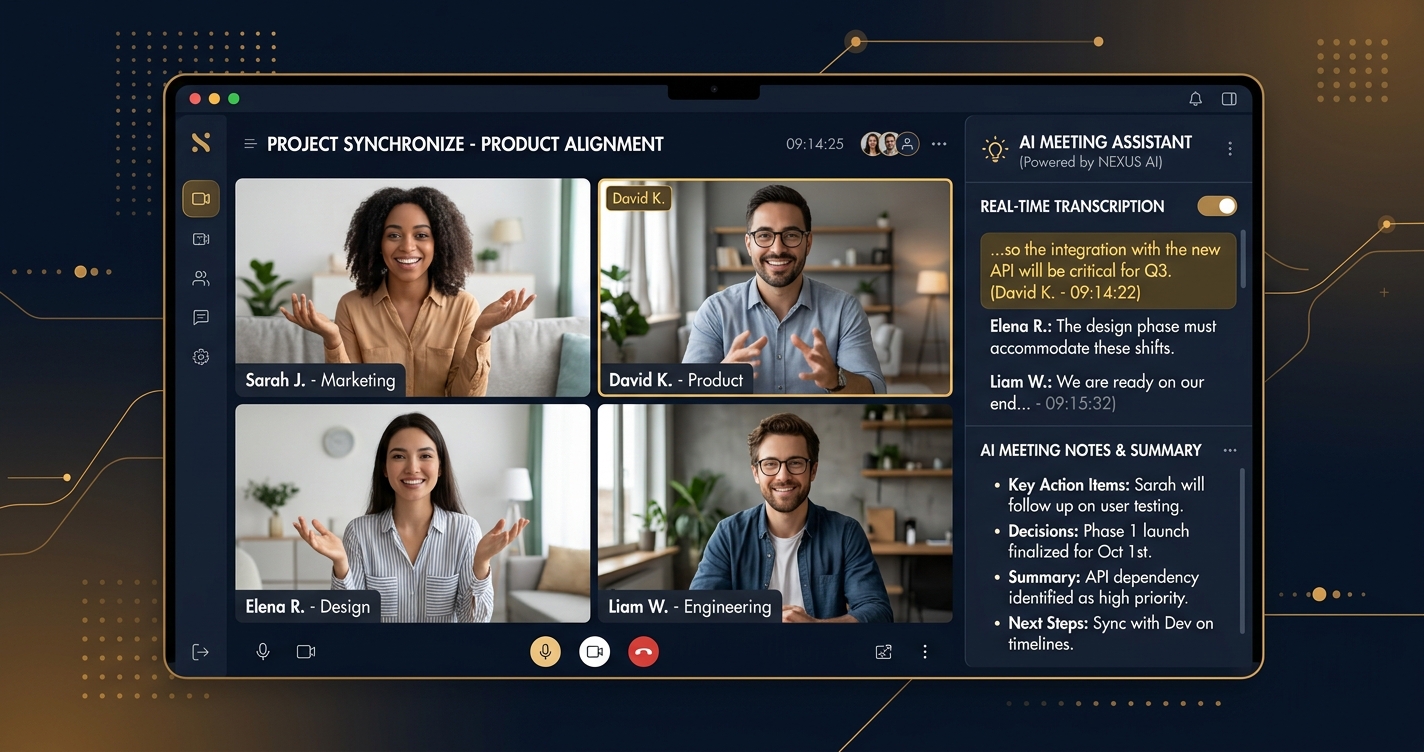
Let’s be brutally honest: meetings suck. Not the idea of collaboration, but the soul-crushing reality of constant interruptions, vague action items, and the inevitable “who was supposed to do that?” follow-up. And the worst part? Someone, usually you, ends up stuck taking notes – a task that’s about as stimulating as watching paint dry.
But here’s the good news: you’re not a human stenographer anymore. The machines are finally here to liberate you. AI meeting assistants are no longer a futuristic fantasy; they’re a tangible reality, and they’re getting smarter by the minute. They listen, they transcribe, they summarize, and they even tell you who promised what.
Today, we’re cutting through the marketing hype to pit three of the most prominent AI meeting assistants against each other: Otter.ai, Fireflies.ai, and the newer kid on the block, Granola. We’re talking real-world performance, feature sets that matter, pricing that won’t make you weep, and the cold, hard truth about their strengths and weaknesses.
Forget scribbling in notebooks or frantically typing while trying to participate. It’s time to let AI handle the heavy lifting. Which one deserves a seat at your virtual table? Let’s find out.
Why Do You Even Need an AI Meeting Assistant?
Before we dive into the nitty-gritty, let’s briefly address the skeptics. You might think, “I’m perfectly capable of taking my own notes.” And sure, you are. But capable isn’t optimal.
Here’s why you need one, yesterday:
- Focus on the Conversation: Stop multitasking. Engage fully. The AI takes notes, you take part.
- Accuracy Over Hearsay: No more “I thought you said…” or missed details. A transcript is an objective record.
- Democratized Information: Everyone gets the full context, even those who missed the meeting.
- Actionable Insights: AI can cut through the waffle to pinpoint decisions, action items, and key takeaways.
- Searchable History: Ever tried to find a specific comment from a meeting six months ago? Good luck with your handwritten notes. AI makes it instantly searchable.
- Time Savings: No more post-meeting note cleanup or synthesis. It’s done for you.
Simply put, these tools aren’t just note-takers; they’re productivity multipliers. They free up your cognitive load, ensure nothing falls through the cracks, and transform your meeting archives into a searchable knowledge base.
Otter.ai: The Established Veteran
Otter.ai has been a prominent player in the AI transcription space for years, often considered the default choice for individuals and teams seeking reliable meeting notes. It’s mature, robust, and constantly evolving.
What Makes Otter.ai Stand Out?
Otter.ai’s primary strength lies in its long history and continuous refinement. It integrates smoothly into most workflows and offers a comprehensive suite of features beyond simple transcription.
- OtterPilot: This feature is a major change. OtterPilot can automatically join your scheduled meetings (Zoom, Google Meet, Microsoft Teams) and transcribe them without you lifting a finger. It’s like having a silent, diligent assistant always on call.
- Live Transcription & Speaker Identification: As the meeting progresses, Otter displays a live transcript, clearly identifying who is speaking. This is incredibly useful for following along, even if audio quality dips.
- Real-time Summaries & Highlights: Otter can generate summaries on the fly and allows users to highlight key points, action items, and decisions as they happen, making post-meeting review much faster.
- Robust Search & Playback: Every word spoken is searchable. You can quickly find specific discussions or keywords and jump directly to that point in the audio recording.
- Collaboration Features: Teams can share transcripts, add comments, highlight sections, and assign action items directly within the Otter interface.
How Accurate is Otter.ai’s Transcription?
Otter.ai generally offers very high transcription accuracy, especially with clear audio and standard English. In testing, it performs well with distinguishing speakers, even in meetings with multiple participants. However, like all AI, it’s not infallible:
- Accents & Jargon: Heavy accents, industry-specific jargon, or technical terms can sometimes trip it up, leading to minor inaccuracies.
- Background Noise: Meetings with significant background noise (e.g., a bustling cafe, poor microphone quality) will naturally degrade accuracy.
- Multiple Speakers Overlapping: While good at speaker identification, it can struggle to perfectly separate voices when multiple people speak simultaneously.
For most standard business meetings, Otter.ai’s accuracy is more than sufficient, often hitting 90-95% under ideal conditions.
What Integrations Does Otter.ai Offer?
Otter.ai boasts a strong set of integrations, making it a seamless addition to existing tech stacks:
- Video Conferencing: Zoom, Google Meet, Microsoft Teams.
- Calendar: Google Calendar, Outlook Calendar for automatic meeting joins.
- Productivity: Slack (for sharing transcripts), Salesforce (for sales-focused teams), Notion, Zapier (for connecting to hundreds of other apps).
Is Otter.ai Worth the Price?
Otter.ai offers a tiered pricing structure that caters to individuals and businesses of varying sizes.
- Free Plan: This is a solid starting point, offering 30 minutes per conversation and up to 30 free transcriptions per month. You get live transcription and summaries.
- Pro Plan ($16.99/month, billed monthly, or $10/month billed annually): Jumps to 90 minutes per conversation, 1200 monthly transcription minutes, more advanced search, and custom vocabulary. This is ideal for heavy individual users or small teams.
- Business Plan ($30/user/month, billed monthly, or $20/user/month billed annually): Unlimited transcription minutes, 4 hours per conversation, team collaboration features, administrative controls, and priority support. Essential for larger teams and enterprises.
Real User Experiences with Otter.ai: Users frequently praise Otter for its reliability, ease of use, and strong speaker identification. The OtterPilot feature is a common highlight, saving significant time. Complaints often revolve around the limitations of the free tier for power users and occasional frustration with accuracy on highly technical or accent-heavy calls. For teams, the Business plan is often seen as a necessary investment to unlock its full collaborative potential.
Fireflies.ai: The Sales & Insights Powerhouse
Fireflies.ai entered the scene with a strong focus on sales teams and customer-facing interactions, distinguishing itself with powerful post-meeting analytics and CRM integrations. While it’s evolved to serve broader business needs, its roots in actionable insights remain evident.
What Makes Fireflies.ai Different?
Fireflies.ai goes beyond simple transcription, offering a suite of features designed to extract deeper intelligence from your conversations.
- AI-Powered Summaries & Smart Search: Fireflies excels at generating concise summaries, not just transcriptions. Its “Smart Search” allows you to search not only by keywords but also by themes, topics, questions, and even sentiment (e.g., “all mentions of pricing,” “all questions asked”).
- Soundbites & Playlists: You can easily create short audio clips (“Soundbites”) from key moments in a meeting and compile them into playlists. This is invaluable for sharing specific insights without requiring colleagues to wade through an entire transcript.
- Topic Trackers: Define custom topics or keywords, and Fireflies will automatically track their mention frequency throughout your meetings, providing valuable insights into discussion trends.
- Conversation Intelligence: This is where Fireflies truly shines for sales and customer success. It can analyze talk-to-listen ratios, identify objections, track competitor mentions, and provide coaching insights.
- Meeting Bots (Fred): Similar to OtterPilot, Fireflies’ AI bot, Fred, can automatically join and transcribe your meetings.
How Accurate is Fireflies.ai’s Transcription?
Fireflies.ai’s transcription accuracy is generally on par with Otter.ai, performing very well in clear audio environments. Its strength, however, isn’t just in the raw transcription but in how it processes that transcription.
- Contextual Understanding: Fireflies’ AI is trained to understand business conversations, which can sometimes give it an edge in interpreting jargon relevant to sales, marketing, or customer service.
- Speaker Separation: It handles multiple speakers effectively, though similar to Otter, extreme overlap can be challenging.
- Dialects & Accents: Performance can vary, and users occasionally report minor misinterpretations with strong regional accents.
Overall, expect strong accuracy, especially when combined with its powerful summarization and search capabilities that help make sense of any minor transcription errors.
What Integrations Does Fireflies.ai Offer?
Fireflies.ai boasts an impressive array of integrations, particularly strong in the CRM and project management spaces.
- Video Conferencing: Zoom, Google Meet, Microsoft Teams, Webex, GoToMeeting.
- CRM: Salesforce, HubSpot, Zoho CRM, Pipedrive. This is a major differentiator, allowing meeting notes and insights to flow directly into your sales pipeline.
- Project Management: Asana, Trello, Jira, Monday.com.
- Communication: Slack, Notion.
- Collaboration: Zapier (for extensive connectivity).
Is Fireflies.ai Worth the Price?
Fireflies.ai offers a competitive pricing model, with a generous free tier and scalable paid options.
- Free Plan: Includes limited transcription credits (up to 3 meetings/month) and basic summaries. A good way to test the waters, but quickly restrictive for regular use.
- Pro Plan ($18/month, billed monthly, or $10/month billed annually): Unlimited transcription, 8000 minutes of storage, smart search, soundbites, and custom vocabularies. This is suitable for individuals and small teams who need robust meeting intelligence.
- Business Plan ($29/month, billed monthly, or $19/month billed annually): All Pro features plus unlimited storage, advanced analytics, custom topic trackers, and CRM integrations. This is the sweet spot for sales teams and larger organizations.
- Enterprise Plan (Custom Pricing): For very large organizations requiring advanced security, dedicated support, and custom integrations.
Real User Experiences with Fireflies.ai: Fireflies.ai garners high praise for its AI-powered summaries, the ability to quickly pull out key insights, and its deep integrations with CRMs, which sales professionals find invaluable. The “Soundbites” feature is also frequently cited as a favorite for sharing digestible snippets. Some users find the interface can be a bit overwhelming initially due to the sheer number of features, and occasional transcription glitches with very niche terminology are reported.
Granola: The Focused Newcomer
Granola.so is a relatively newer entrant to the AI meeting assistant space, aiming to provide a more streamlined and focused experience. It positions itself as a tool for creating “meeting notes you’ll actually use,” emphasizing clarity and actionability over raw data dumps.
What Makes Granola Different?
Granola’s approach is distinctly minimalist and action-oriented. It’s designed to cut through the noise and deliver concise, actionable takeaways.
- Focus on Key Takeaways & Action Items: Granola prioritizes identifying decisions, action items, and key discussion points. Its summaries are often praised for being exceptionally succinct and easy to digest.
- Clean, Intuitive Interface: Unlike some feature-rich tools that can feel cluttered, Granola offers a very clean and user-friendly interface, making it easy to navigate and find what you need.
- “Focus Mode” & Meeting Prep: Granola emphasizes helping users prepare for meetings and stay focused during them, rather than just transcribing. It aims to reduce cognitive load.
- Privacy-First Approach: While all reputable AI tools have privacy policies, Granola often highlights its commitment to user data privacy, which can be a significant draw for certain organizations.
- Concise Summaries: Users report Granola’s summaries are particularly good at capturing the essence of a meeting without excessive detail, which is perfect for quick reviews.
How Accurate is Granola’s Transcription?
As a newer tool, Granola’s core transcription engine is robust, but it might not have the same depth of training data as the veterans.
- Clear Audio Performance: Granola performs well with clear audio and distinct speakers, delivering accurate transcripts.
- Speaker Recognition: It handles speaker identification effectively for most standard meetings.
- Niche Jargon/Accents: Like all AI, it can struggle with highly specialized vocabulary or very strong accents, potentially slightly more so than the more established players with years of fine-tuning.
Its strength lies less in achieving marginally higher raw transcription accuracy than in what it does with the transcript – distilling it into highly usable summaries.
What Integrations Does Granola Offer?
Granola’s integration suite is growing but currently more focused compared to Otter or Fireflies.
- Video Conferencing: Zoom, Google Meet, Microsoft Teams (essential for auto-joining).
- Calendar: Google Calendar, Outlook Calendar for scheduling and auto-join.
- Productivity: Integrations with tools like Notion, Slack, and potentially others via Zapier are expanding.
As a newer platform, expect its integration list to grow significantly over time, but for now, it covers the essentials.
Is Granola Worth the Price?
Granola’s pricing reflects its position as a streamlined, focused tool, often competitive for individuals and small teams.
- Free Plan: Granola offers a free plan, typically including a limited number of meetings per month (e.g., 5 meetings) and basic summarization. This is a great way to experience its clean interface and summary quality.
- Pro Plan (Around $19/month, billed monthly): This plan usually offers unlimited meetings, longer conversation limits, advanced summaries, and more integrations. Ideal for individuals or small teams needing consistent, high-quality meeting summaries.
- Team Plan (Custom pricing, or per-user tiered pricing): For larger teams, this includes collaborative features, administrative controls, and potentially more advanced analytics.
Real User Experiences with Granola: Users are drawn to Granola for its simplicity, clean design, and the quality of its summarized notes and action item detection. Many appreciate its focus on delivering actionable insights rather than just a wall of text. The learning curve is minimal. Some feedback indicates a desire for more extensive integrations compared to its competitors, which is expected for a newer platform. It’s often recommended for individuals or small teams who value clarity and efficiency above all else.
Comparison Table: Otter vs Fireflies vs Granola
| Feature | Otter.ai | Fireflies.ai | Granola.so |
|---|---|---|---|
| Transcription Acc. | High (90-95% ideal), good speaker ID | High (90-95% ideal), strong contextual understanding | High (85-90% ideal), good for clear audio |
| Speaker ID | Excellent | Very Good | Good |
| AI Summaries | Good, customizable | Excellent, “Smart Search,” Topic Trackers | Excellent, concise, action-oriented |
| Action Item Detection | Good, manual highlighting helps | Excellent, AI-driven | Excellent, highly focused on actionable tasks |
| Live Transcription | Yes | Yes | Yes |
| Auto-Join Meetings | Yes (OtterPilot) | Yes (Fred) | Yes |
| CRM Integrations | Salesforce, Zapier | Salesforce, HubSpot, Zoho, Pipedrive, Zapier | Growing (via Zapier primarily) |
| PM Integrations | Notion, Zapier | Asana, Trello, Jira, Monday.com, Zapier | Growing (via Zapier primarily) |
| Free Tier | 30 min/conv, 30 conv/month, 300 min/month | 3 meetings/month, limited storage | ~5 meetings/month, basic summaries |
| Paid (Entry Level) | ~$10/month (Pro, annual) | ~$10/month (Pro, annual) | ~$19/month (Pro, monthly) - check for annual |
| Key Differentiator | Established, reliable all-rounder, robust search | Sales/CRM focus, deep conversation intelligence, soundbites | Simplicity, highly actionable summaries, clean UI |
| Best For | Individuals, small teams, general use | Sales teams, customer success, marketing, deep insights | Individuals, small teams, focus on clarity & actions |
Which AI Meeting Assistant Should YOU Choose? Practical Takeaways
Choosing the right AI meeting assistant isn’t about finding the “best” one universally, but the “best” one for your specific needs. Here’s how to make that call:
For the All-Rounder Who Needs Reliability: Otter.ai
If you’re looking for a tried-and-true workhorse that reliably transcribes and summarizes most meetings, Otter.ai is an excellent choice. It’s great for:
- Individuals and small teams who need a dependable note-taker.
- Anyone needing robust search capabilities across past conversations.
- Users who value live transcription for accessibility or real-time review.
- General business meetings, academic settings, or interviews.
Otter provides a solid foundation with continuous improvements, making it a safe and effective bet for most users.
For Sales, Customer Success, and Data-Driven Teams: Fireflies.ai
If your meetings are primarily about customer interactions, sales calls, or require deep analytical insights, Fireflies.ai is likely your champion. It’s ideal for:
- Sales teams who need to log calls, track objections, and analyze conversations for coaching.
- Customer success managers looking to understand customer sentiment and recurring issues.
- Marketing teams gathering intelligence from customer interviews or focus groups.
- Anyone who needs to extract specific data points or create shareable “soundbites” from meetings.
Fireflies’ conversation intelligence and CRM integrations give it a significant edge for revenue-generating teams.
For the Minimalist Who Craves Clarity & Action: Granola
If you’re overwhelmed by feature bloat and simply want concise, actionable meeting summaries without the fluff, Granola is your go-to. It’s perfect for:
- Individuals or small teams who prioritize clear action items and decisions above all else.
- Users who appreciate a clean, intuitive interface and a straightforward workflow.
- Anyone looking to reduce cognitive load and minimize time spent reviewing notes.
- Teams that hold frequent, shorter meetings where quick takeaways are crucial.
Granola focuses on doing one thing exceptionally well: delivering highly usable meeting notes that drive immediate action.
Final Word: Stop Taking Notes. Start Leading.
The era of manual meeting notes is officially over. These AI assistants aren’t just tools; they’re strategic partners that free up your mental bandwidth, improve accountability, and transform your meeting culture.
Whether you opt for the proven reliability of Otter, the analytical prowess of Fireflies, or the focused clarity of Granola, the critical decision is to embrace the technology. Pick a free plan, kick the tires, and see which one seamlessly integrates into your workflow.
Your time is valuable. Your focus is invaluable. Let the machines handle the rote tasks, so you can get back to what you do best: thinking, creating, and leading.
Frequently Asked Questions
## Are AI meeting assistants secure?
Yes, reputable AI meeting assistants like Otter.ai, Fireflies.ai, and Granola.so employ robust security measures, including encryption (both in transit and at rest), data privacy policies, and compliance with regulations like GDPR and CCPA. They typically allow users to control data retention and sharing. Always review a tool’s specific security and privacy policies before committing, especially for sensitive discussions.
## Can these AI tools understand different languages or accents?
Most AI meeting assistants primarily excel in English, particularly standard North American English. They can generally handle a range of accents with varying degrees of success, but very strong or unfamiliar accents, as well as complex technical jargon, can reduce transcription accuracy. Some tools offer multilingual transcription as a premium feature or are actively developing it, but it’s not universally perfect across all languages yet.
## Do I need permission to record and transcribe meetings with these tools?
Yes, absolutely. Legal requirements for recording and transcribing conversations vary significantly by jurisdiction (state, country). In many places, all parties must consent to be recorded (“two-party consent” or “all-party consent” laws). It is your responsibility to understand and comply with local laws and your company’s policies before using an AI meeting assistant to record or transcribe any conversation. Always inform participants that an AI assistant will be present and transcribing.
## What happens if the internet connection drops during a meeting?
If the AI assistant is joining a cloud-based meeting (like Zoom or Google Meet), a drop in your local internet connection might not directly affect its ability to record, as it’s often operating as a separate participant from your device. However, if the platform’s connection or the AI’s internal connection to the meeting drops, recording may be interrupted or stopped. Most tools are designed to resume recording if the connection is restored, but gaps in the transcript can occur.
## Can I edit the transcripts generated by these AI tools?
Yes, all major AI meeting assistants provide an interface where you can review and edit the generated transcripts. This is a crucial feature, as no AI transcription is 100% perfect, especially with challenging audio. You can correct misheard words, assign speakers accurately, and refine summaries to ensure the final record is precise and reflects the meeting’s true content.
Sources
> Want more like this?
Get the best AI insights delivered weekly.
By subscribing, you agree to our Privacy Policy. You can unsubscribe at any time.
> Related Articles
AI Agent Memory Governance: Decide What the System May Remember
Agent memory improves continuity but creates privacy, security, and correctness risks. Design consent, retention, provenance, deletion, and retrieval boundaries before storing user context.
LLM Abstention Policies: Teach Production AI When Not to Answer
A reliable AI system needs a controlled way to say it lacks evidence, permission, or confidence. Design abstention triggers, user recovery paths, and evaluation metrics.
Agentic Browsers in 2026: Which AI Tools Can Actually Finish the Job?
AI browsers promise to click, compare, book, and build for you. Most still stumble. Here are the tools that actually deserve your trust in 2026.
Tags
> Stay in the loop
Weekly AI tools & insights.