Google’s Decisions API Can Read the Photo. What If the Ticket Disagrees?
Google’s Gemini Decisions API can read a support ticket and its photo in one call. A swapped attachment exposes the product decision your app still has to make.
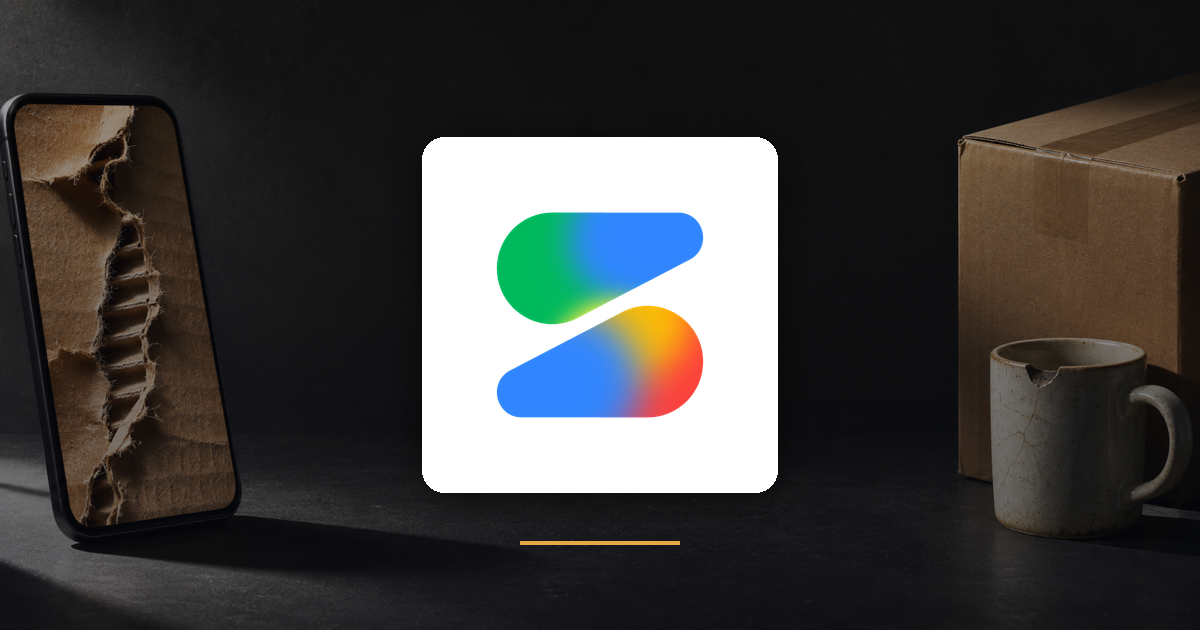
Google released the Gemini Decisions API on November 11 with a demo that pairs a breakroom photo with a written note and asks what cleanup the scene needs. Put the same endpoint behind a returns form and the first test practically writes itself: attach a picture of a crushed box to a ticket that says the box arrived intact, then see which story your app acts on. Google’s launch announcement
A photo can add evidence and still muddy the case
Powered by Gemini Decision 1, the endpoint takes inputs such as text, photos, audio, video and PDFs, then answers questions the application supplies. Google’s demo asks whether there’s a spill, which cleanup action fits and how severe the mess is. A returns team can use the same format to ask about visible packaging damage. The tricky part arrives when the text and the photo make claims about the same object from different points in time. Google’s launch announcement
Suppose a customer writes, “The shipping box arrived intact, but the mug inside was broken.” The attachment shows a split seam on a shipping box. That seems like a contradiction until you consider that the customer may have torn the box opening it, or that the photo might show the replacement shipment. The image could be clear enough to describe down to the strips of tape and still tell you very little about the condition of the package at delivery. A question about visible damage and a question about delivery damage ask for two different facts.
Here’s the product decision. If the app is collecting evidence for a return, the photo might satisfy the request for a view of the package. If the app is attributing damage to a carrier, the same photo may need a delivery timestamp or a verified link to the shipment. Those are differences in what the business can establish from the evidence. A more detailed description of the tear does nothing to establish when it happened.
Give each question a source it can actually inspect
Google’s getting-started codelab demonstrates sending a written claim and its attachment into the same call. For a returns flow, use that shared context to ask source-specific questions. One question might ask whether the customer explicitly reports damage to the outer carton at delivery. Another might ask what condition is visible on the outer carton in the image. Name the source in the question so that language from the ticket has less room to stand in for a visual observation. Then test whether the model respects that distinction. Google’s Decisions API codelab
Word the visual choices so that they describe what the attachment actually shows. An item photographed on a kitchen counter can be useful evidence of a chipped mug while giving the app no view of the shipping box. A closed carton can provide a view of its exterior while leaving the mug’s condition unknown. Give those cases an explicit way to surface in the answer. Otherwise, downstream code can turn one usable observation into a finding on an entirely different object.
The reporting interface matters here, too. A field labeled “Damage confirmed” leaves the next person guessing whether the decision came from the customer’s account, the photograph or a match between the two. “Customer reports a broken mug” and “Outer carton shows a split seam” can both appear on the same case. Those descriptions also let someone spot a bad label without opening a model trace to work out what the system meant by damage.
Swap the attachment and keep the ticket fixed
Take a labeled sample of real returns and make controlled copies. Keep the text, order record and decision questions fixed. Give one copy its matching photo, one a clear photo from a different return and one an image that crops out the package. Include a copy without an attachment. Record which visual findings should change in each version and which answers about the customer’s statement should stay stable. This is a proposed integration test for the API, with expected results your team can label before the first request goes out.
Make the swapped photo plausible. An unrelated image of a dog tests whether the app recognizes a dog. A photo of the right kind of box from the wrong shipment tests whether the app treats a believable image as proof that it belongs to the case. If two cartons look alike and neither image contains identifying information, use the upload record to establish the association. The case identifier and the attachment identifier are facts your service can compare directly.
Run one swap in the other direction. Keep the photo of the carton and change the text from “arrived damaged” to “tore while opening.” The expected answer about the seam stays put. The answer about the customer’s account changes. If the visible damage disappears from the result when you change only the wording, you’ve caught a case in which the report can steer the visual answer. If the account stays the same, you’ve caught a case in which the photo can drown out a meaningful distinction in the ticket.
Put the consequences in application code
Google’s discriminative-model codelab illustrates a division of labor between the model’s decision and deterministic rules in the surrounding application. In a returns flow, use records your service already owns to enforce the relationship between an order and its attachments. Use the model for observations the records can’t answer, such as whether the carton pictured has a visible tear. If a photo came from a superseded submission, deciding whether it belongs in the current request is a job for the code assembling the inputs. Google’s discriminative-model codelab
Decide what the user sees when one piece of evidence is missing. A prompt to photograph the outer carton is useful if the customer uploaded only the mug. It’s irritating if the carton photo is already attached and the service accidentally passed the thumbnail of a different image. Include the attachment reference alongside the app’s recorded observation so a developer can trace the result back to the actual input. If the customer adds or replaces a photo, associate the next observation with that version of the evidence.
The sharpest acceptance criterion is about what the app does next. A crop that removes the carton should make the carton finding unavailable. A swapped photo with no verified link to the case should never move the original order into a carrier-damage workflow. If both records remain visible to support staff, they should be able to reconstruct what the customer said, what the image showed and what evidence actually triggered the next action.
Measure the path the customer sits through
Google pitches the endpoint as a fast way to get bounded decisions from shared input. On a returns form, measure from the moment the customer submits the ticket to the moment the app can show a specific next step. Log attachment preparation, the API round trip and the time to apply your own rules separately. An image that’s already associated with an order and a new upload from a phone exercise different paths, even when the model sees the same pixels. Google’s launch announcement
Compare those timings alongside the outcomes of the swap tests. A fast response that asks a customer for a photo they already provided costs another round trip in the real workflow. A fast response that silently attributes the wrong attachment to the claim can be worse because the customer has no obvious reason to correct it. The benchmark that matters for this integration is how quickly the app can show the right next step when the evidence agrees, and a specific request for what’s missing when it doesn’t.
Frequently asked questions
Can one Decisions API request include a ticket and a photo?
Yes. Google’s codelab demonstrates submitting a written claim and an attachment together. Google’s Decisions API codelab
Can a clear photo establish when a package was damaged?
A photo can show visible damage. Establishing when it occurred requires evidence that ties the image or observation to delivery.
What should stay stable when I swap the attachment?
The answer about what the customer wrote should stay stable. Findings about what is visible should track the new image.
Sources
> Want more like this?
Get the best AI insights delivered weekly.
By subscribing, you agree to our Privacy Policy. You can unsubscribe at any time.
> Related Articles
Gemini Decisions API can score a photo. When should your app act?
Google’s new Gemini endpoint scores predefined choices across text, images, audio, video, and PDFs. Its confidence estimates give developers a way to decide which results to automa
Decision 1 Can Read Video—Will It See the Frame That Matters?
Google’s Decisions API can score a video clip in one pass. For builders, the sharper test is whether the clip actually delivers the frame that settles the question.
Interactions API Can Defer Tool Schemas—Which Ones Earn a Spot Up Front?
Google’s Tool Retrieval preview loads function schemas on demand. The test for agent builders is whether smaller prompts still deliver the right calls.
Most Read
- 1 Kimi K3.1 Pro: China's Open-Weight Model Just Caught the Frontier
- 2 OpenAI Is Buying the Bottleneck: Can Orchestra Bio Cut a 15-Year Drug Timeline?
- 3 1,068 Tokens Per Second: Can Mercury 3 Change How LLMs Generate Text?
- 4 Same Price, Better Coding: How Good Is DeepSeek V4.1 Flash 1017?
- 5 Used OpenCode? Should You Rotate Your API Key After the Console Breach?





Latest News
- ChatGPT Is Merging Chat and Work. Will Your Last Run Fit?
- Google’s DeepCrossAttention Has a 3× Claim. What Did the Clock Measure?
- Gemini Decisions API can score a photo. When should your app act?
- Gmail’s MCP Send Tool Is Listed. Can Your App Use It?
- iFood Has 15,000 Repositories. Who Decides If a Fix Is Done?
- Decision 1 Can Read Video—Will It See the Frame That Matters?
Tags
> Stay in the loop
Weekly AI tools & insights.