Reliable AI Browser Agents: Build Automation That Knows It Failed
Browser agents look magical until a stale button, login wall, or silent form error breaks the run. Reliability comes from state, verification, and recovery.
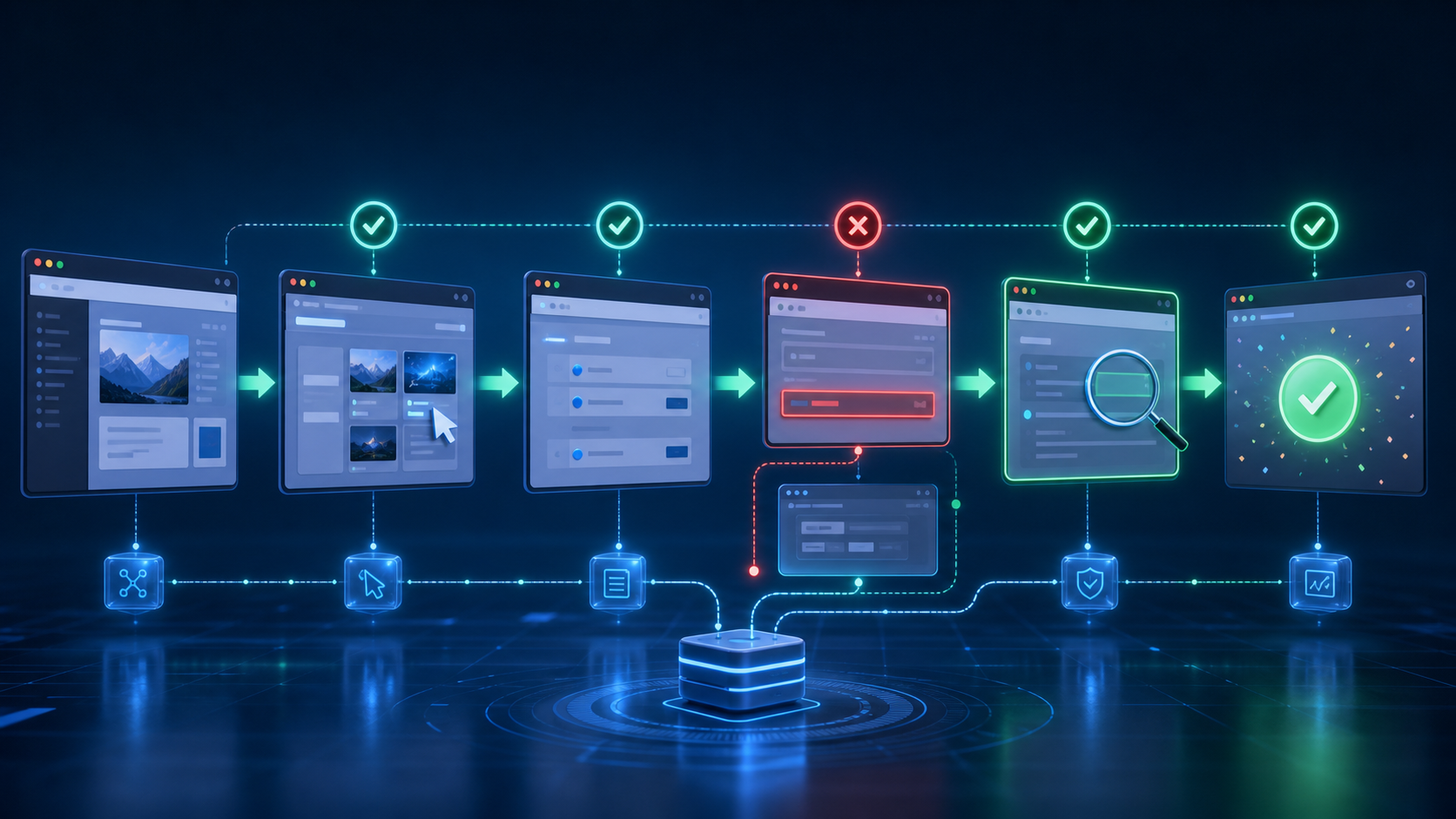
The impressive browser-agent demo is easy: open a page, click a few obvious controls, and celebrate when the final screen appears.
The reliable browser agent is much harder. It must survive slow pages, consent banners, stale sessions, duplicate buttons, hidden validation errors, dynamic layouts, partial submissions, and websites that claim success before the underlying action is complete.
That difference matters because automation fails in two ways. A visible failure stops the run. A silent failure completes the run and reports the wrong outcome. The second one is far more dangerous.
Reliable browser automation is not primarily a better prompt. It is an architecture that makes state observable and success verifiable.
Separate Planning From Page Interaction
Give the agent two different jobs.
The planner translates the user’s goal into a small sequence of business actions: find the account, open the invoice, confirm the amount, download the receipt. The executor handles one page interaction at a time.
This separation prevents the model from improvising a new objective every time the page changes. It also creates checkpoints that can be inspected and retried independently.
Represent the plan as structured state:
- Current objective
- Completed steps
- Expected page state
- Evidence collected
- Remaining actions
- Allowed side effects
- Recovery options
After every interaction, the executor should report what changed in the browser, not merely that it clicked something. The planner can then decide whether the expected transition occurred.
Prefer Stable Semantics Over Screen Coordinates
Coordinate-based clicking is fragile. A cookie banner, responsive layout, or font change can move the target by hundreds of pixels.
Use the page’s semantic structure when available: accessible role, label, form name, stable test identifier, and visible text. Browser automation frameworks expose these elements more reliably than raw screenshots.
Vision still matters for canvas applications, remote desktops, and pages with poor accessibility. But it should be one signal, not the entire control system. Combine DOM evidence, accessibility information, URL changes, network state, and screenshots.
Avoid saving an element reference for too long. Modern applications frequently replace DOM nodes after a render. Re-query the page immediately before an action and confirm that the target is visible, enabled, and unique.
Make Every Important Step Observable
A click is an input, not an outcome.
After submitting a form, check for the state that proves submission succeeded: a confirmation identifier, a new record in a list, a downloaded file with expected content, or a server response tied to the action.
For low-risk navigation, a URL or heading change may be enough. For consequential actions, require stronger evidence.
Examples:
- A calendar event is successful when it appears with the correct time and attendees.
- A payment is successful when a transaction identifier and final amount are visible.
- A file upload is successful when the file appears in the destination with the expected size.
- A message is successful when it appears in the sent conversation, not when the send button disappears.
Store a compact evidence bundle at each checkpoint: page URL, relevant text, screenshot, and structured values extracted from the page. This makes later audits possible without recording every pixel of an entire session.
Design Retries Around Causes
Blind retries create duplicate orders, messages, and bookings.
Classify failures before retrying. A timeout may justify waiting and reloading. A stale element should trigger a fresh page query. An authentication failure should stop for credentials. A validation error should correct the input. An ambiguous final state should switch to read-only verification before any repeated side effect.
Use idempotency wherever the underlying service supports it. When it does not, create your own duplicate check. Before repeating a submission, search for evidence that the first attempt already succeeded.
A practical retry budget is small. Two or three targeted attempts usually reveal whether the issue is transient. Endless retries hide broken logic and may trigger rate limits or fraud controls.
Treat Authentication as Its Own Workflow
Login state is one of the most common sources of browser-agent failure.
Do not ask the model to casually handle passwords, recovery codes, and multi-factor prompts inside the main task. Use a credential broker or pre-authenticated browser profile with explicit scope. Pause when human approval is required.
Keep session storage isolated by user and destination. Never reuse cookies across unrelated tasks. Expire sessions when the job ends unless there is a deliberate, protected persistent-profile design.
The agent should be able to distinguish:
- Logged out
- Logged in as the wrong account
- Session expired
- Additional verification required
- Access denied despite authentication
“The page loaded” is not proof that the correct identity is active.
Add Consequence-Aware Approval Gates
Browser agents often move from reading to acting within the same interface. The reliability model must recognize that boundary.
Let the agent search, compare, fill drafts, and prepare forms autonomously. Pause before irreversible or externally visible actions such as buying, publishing, sending, deleting, canceling, or changing permissions.
At the gate, show the user a concise transaction preview:
- What will happen
- Which account or recipient is involved
- The exact amount or content
- What evidence has been checked
- Whether the action is reversible
After approval, bind it to that specific payload. If the page changes the amount, recipient, date, or destination, invalidate the approval and ask again.
Test With Messy Reality
Happy-path tests produce brittle agents.
Create evaluations that include delayed responses, pop-ups, duplicate labels, expired sessions, partial page loads, server errors, changed layouts, and success messages that appear before data persistence.
Measure more than completion rate. Track false-success rate, unnecessary retries, duplicate-action rate, human-intervention rate, and time to safe failure.
A good browser agent is not one that always finishes. It is one that knows when it cannot safely finish, preserves the work already done, and asks for exactly the missing input.
The browser is an unpredictable environment wrapped around real consequences. Build agents like resilient distributed systems: explicit state, bounded retries, idempotent actions, independent verification, and clear escalation. That is how browser automation stops being a demo and becomes infrastructure.
> Want more like this?
Get the best AI insights delivered weekly.
By subscribing, you agree to our Privacy Policy. You can unsubscribe at any time.
> Related Articles
Autonomous Business Agents Need a Control Plane Before They Need More Tools
Pion's research preview connects persistent agents to business systems. Evidence from real vending, retail, and cafe trials shows why monitoring and bounded authority are the core product.
AI Systems Need Three Trust Layers: Verifiable Work, Managed Permissions, and Private Credentials
A cipher-solving agent, GitHub's enterprise controls, and Signal's zkgroup work point to the same production lesson: intelligence needs enforceable trust boundaries.
RAG Query-Rewriting Evaluation: Prove the Rewrite Finds Better Evidence
Query rewriting often sounds smarter while retrieving worse evidence. Evaluate rewrites against relevant documents, failure slices, and final grounded answers before shipping them.
Tags
> Stay in the loop
Weekly AI tools & insights.