MCP Authentication in Production: OAuth, Scopes, and Secret Isolation
MCP auth gets ugly fast in production. Here’s how to ship OAuth, scopes, token validation, and secret isolation without building a permission bonfire.
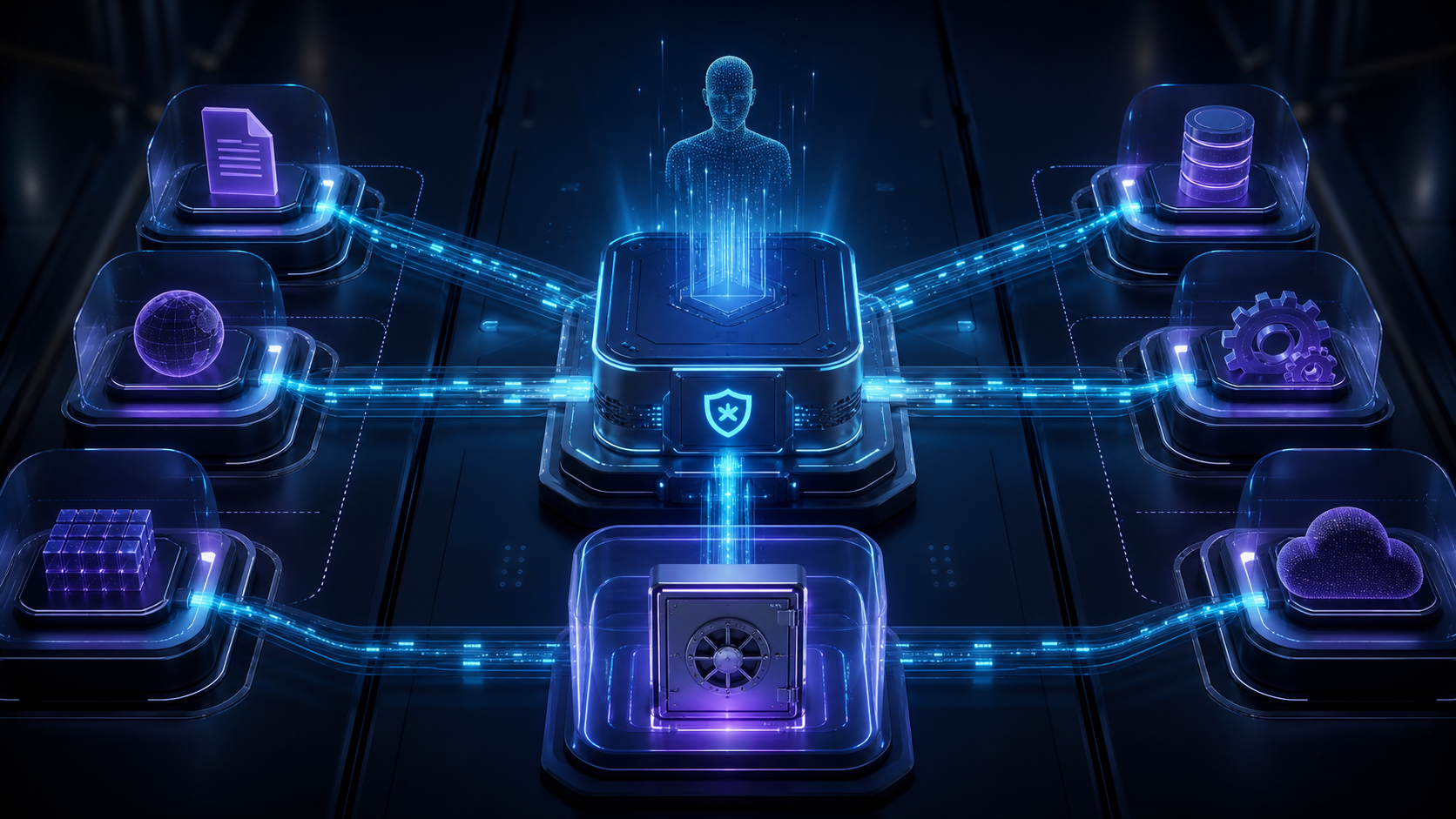
Most MCP demos accidentally teach you the worst possible production security model: paste a token into a config file, pray, and let an AI agent swing it around like a crowbar.
That is fine for a weekend demo. It is malpractice for production.
If you are dealing with mcp authentication production work, the core problem is not “how do I add a login button?” It is this: how do you let an AI client call real tools, against real business systems, without handing it permanent god-mode credentials?
The answer is boring in the best way: OAuth, resource-bound tokens, narrow scopes, short lifetimes, and hard secret isolation.
Let’s build the production version.
Prerequisites
You do not need to be an OAuth wizard, but you should know the moving parts.
You need:
- An MCP server exposed over HTTP
- An OAuth or OpenID Connect provider such as Auth0, Okta, Microsoft Entra, WorkOS, Zitadel, or your internal identity platform
- A way to validate access tokens, usually JWT verification against JWKS or token introspection
- A secrets manager such as AWS Secrets Manager, Google Secret Manager, Azure Key Vault, Doppler, Vault, or a hardened platform secret store
- Basic familiarity with MCP clients, tools, and server endpoints
This tutorial uses TypeScript-style examples because the shape is easy to read. The same architecture applies in Python, Go, Java, or whatever your stack worships this quarter.
The Production Auth Model
In MCP auth, your protected MCP server acts as an OAuth resource server. The MCP client acts as an OAuth client. The authorization server issues tokens.
That gives you three separate jobs:
- The authorization server authenticates users and issues tokens.
- The MCP client obtains and sends access tokens.
- The MCP server validates those tokens before running tools.
Do not collapse these roles into “the MCP server has a single API key in an environment variable and every user shares it.” That pattern is how one compromised agent session becomes a company-wide incident.
A production MCP request should look like this:
POST /mcp HTTP/1.1
Host: mcp.example.com
Authorization: Bearer eyJhbGciOiJSUzI1NiIs...
Content-Type: application/json
Expected result: every protected MCP request carries a bearer token in the Authorization header. Tokens do not go in query strings, logs, prompts, tool arguments, or frontend local storage unless you enjoy breach writeups.
Step 1: Publish Protected Resource Metadata
MCP’s HTTP authorization flow leans on OAuth 2.0 Protected Resource Metadata. Your MCP server needs to tell clients where authorization lives.
Serve metadata at a well-known URL:
GET /.well-known/oauth-protected-resourceExample response:
{
  "resource": "https://mcp.example.com",
  "authorization_servers": [
    "https://auth.example.com"
  ],
  "scopes_supported": [
    "files:read",
    "files:write",
    "customers:read",
    "customers:write",
    "admin:audit"
  ]
}
Expected result: an MCP client can discover which authorization server to use and which scopes exist for the protected MCP resource.
The important field is resource. This value becomes the audience target. Tokens issued for another API should not work here. A token for https://api.example.com should not magically unlock https://mcp.example.com.
That sounds obvious. Many broken systems still get it wrong.
Step 2: Return Useful 401 Challenges
When a client calls your MCP server without a token, return 401 Unauthorized with a WWW-Authenticate header.
HTTP/1.1 401 Unauthorized
WWW-Authenticate: Bearer resource_metadata="https://mcp.example.com/.well-known/oauth-protected-resource", scope="files:read"
Expected result: the client knows it needs authorization, knows where to fetch metadata, and knows the minimum scope needed for the attempted operation.
Here is a tiny Express-style middleware:
function requireAuth(req, res, next) {
  const header = req.headers.authorization;

  if (!header?.startsWith("Bearer ")) {
    res.setHeader(
      "WWW-Authenticate",
      'Bearer resource_metadata="https://mcp.example.com/.well-known/oauth-protected-resource", scope="files:read"'
    );

    return res.status(401).json({
      error: "authorization_required"
    });
  }

  next();
}
Keep the response useful, not chatty. Do not reveal internal policy details. Do not dump stack traces. Do not tell attackers which part of token validation almost worked.
Step 3: Request Tokens With a Resource Parameter
The MCP authorization spec expects clients to use OAuth Resource Indicators. Translation: when requesting a token, the client must say which protected resource the token is for.
Authorization request shape:
https://auth.example.com/authorize?
  response_type=code&
  client_id=https%3A%2F%2Fclient.example.com%2Fmcp-client.json&
  redirect_uri=https%3A%2F%2Fclient.example.com%2Fcallback&
  scope=files%3Aread&
  resource=https%3A%2F%2Fmcp.example.com&
  code_challenge=...&
  code_challenge_method=S256
Token request shape:
POST /oauth/token HTTP/1.1
Host: auth.example.com
Content-Type: application/x-www-form-urlencoded

grant_type=authorization_code&
code=AUTH_CODE&
redirect_uri=https%3A%2F%2Fclient.example.com%2Fcallback&
client_id=https%3A%2F%2Fclient.example.com%2Fmcp-client.json&
resource=https%3A%2F%2Fmcp.example.com&
code_verifier=...
Expected result: the authorization server issues an access token intended for your MCP server, not a generic token that works everywhere.
This is one of the biggest production differences between “OAuth-shaped” and actually OAuth. Audience binding matters. Without it, token replay across services becomes much easier.
Step 4: Validate Tokens on Every Request
An MCP session is not a permission force field. The server must validate authorization on every HTTP request.
At minimum, validate:
- Signature
- Issuer
- Audience or resource
- Expiration
- Not-before time, if present
- Required scopes
- Tenant or organization boundary, if applicable
Example JWT validation:
import { createRemoteJWKSet, jwtVerify } from "jose";

const issuer = "https://auth.example.com";
const audience = "https://mcp.example.com";
const jwks = createRemoteJWKSet(new URL(`${issuer}/.well-known/jwks.json`));

export async function validateAccessToken(token: string) {
  const { payload } = await jwtVerify(token, jwks, {
    issuer,
    audience
  });

  return {
    subject: payload.sub,
    tenantId: payload["https://example.com/tenant_id"],
    scopes: String(payload.scope ?? "").split(" ").filter(Boolean)
  };
}
Then enforce scope:
function requireScope(requiredScope: string) {
  return async function scopedAuth(req, res, next) {
    try {
      const token = req.headers.authorization?.replace("Bearer ", "");

      if (!token) {
        return res.status(401).json({ error: "missing_token" });
      }

      const auth = await validateAccessToken(token);

      if (!auth.scopes.includes(requiredScope)) {
        res.setHeader(
          "WWW-Authenticate",
          `Bearer error="insufficient_scope", scope="${requiredScope}", resource_metadata="https://mcp.example.com/.well-known/oauth-protected-resource"`
        );

        return res.status(403).json({
          error: "insufficient_scope"
        });
      }

      req.auth = auth;
      next();
    } catch {
      return res.status(401).json({
        error: "invalid_token"
      });
    }
  };
}
Expected result: expired, forged, wrong-audience, wrong-issuer, and under-scoped tokens fail before any MCP tool runs.
Use 401 when the token is missing, invalid, or expired. Use 403 when the token is valid but lacks permission.
Step 5: Design Scopes Around Actions, Not Vibes
Scopes should map to meaningful capabilities. Bad scopes are vague:
user
admin
mcp
full_access
Good scopes are boring and specific:
files:read
files:write
customers:read
customers:write
tickets:create
calendar:read
admin:audit
Do not make every tool require admin. That is security theater with extra paperwork.
A useful scope matrix looks like this:
| MCP tool | Required scope | Notes |
|---|---|---|
search_files | files:read | Read-only file metadata and content snippets |
create_file | files:write | Can create new files, not delete existing ones |
list_customers | customers:read | Customer list and profile fields |
update_customer | customers:write | Mutates customer records |
create_ticket | tickets:create | Opens support tickets only |
read_audit_log | admin:audit | Restricted to security/admin roles |
Expected result: the authorization layer can answer a simple question before execution: “Is this token allowed to call this tool for this tenant?”
Use Step-Up Authorization
Do not ask for every scope on first connection. Start narrow.
For example, initial connection might request:
files:read customers:readIf the user later asks the agent to update a customer record, return a 403 with the required additional scope:
HTTP/1.1 403 Forbidden
WWW-Authenticate: Bearer error="insufficient_scope", scope="customers:read customers:write", resource_metadata="https://mcp.example.com/.well-known/oauth-protected-resource"
Expected result: the client can trigger a fresh consent flow for the extra permission instead of hoarding dangerous access up front.
This is where MCP auth starts to feel like real product security instead of a demo checkbox.
Step 6: Isolate Secrets From the Agent
Here is the rule: the model should not see raw secrets.
Not “usually.” Not “unless the prompt says be careful.” Never by design.
You need to isolate at least four kinds of sensitive material:
- OAuth client secrets
- User access tokens
- Refresh tokens
- Downstream provider tokens, such as GitHub, Slack, Google, Stripe, or internal API credentials
A better architecture:
MCP client
  -> sends user-bound MCP access token
MCP server
  -> validates token and scopes
Secret broker or vault layer
  -> retrieves downstream credentials only when needed
Downstream API
  -> receives API-specific token from server-side code
Expected result: the AI agent can request an action, but it cannot read, copy, summarize, or exfiltrate the raw credential used to perform that action.
Use Opaque Handles Inside Tool Calls
Do not pass secrets as tool arguments.
Bad:
{
  "tool": "send_slack_message",
  "arguments": {
    "slack_token": "xoxb-...",
    "channel": "C123",
    "message": "Deploy finished"
  }
}
Good:
{
  "tool": "send_slack_message",
  "arguments": {
    "workspace_id": "workspace_123",
    "channel": "C123",
    "message": "Deploy finished"
  }
}
The server resolves workspace_123 to the right Slack credential after authorization succeeds.
Expected result: prompts, traces, tool logs, and model context contain handles and intent, not bearer tokens.
Step 7: Separate User Tokens From Service Tokens
A common production mistake is using one service token for all agent activity. That destroys accountability.
You usually need both:
- User-bound tokens for actions taken on behalf of a person
- Service tokens for backend automation without a human actor
For user actions, store an audit trail like:
{
  "actor": "user_42",
  "tenant_id": "tenant_abc",
  "mcp_client": "https://client.example.com/mcp-client.json",
  "tool": "update_customer",
  "scope": "customers:write",
  "target": "customer_789",
  "time": "2026-07-30T10:15:00Z"
}
For service actions, make the identity explicit:
{
  "actor": "service:nightly-reconciliation",
  "tenant_id": "tenant_abc",
  "tool": "sync_invoices",
  "scope": "invoices:write",
  "time": "2026-07-30T02:00:00Z"
}
Expected result: when something goes wrong, you can tell whether a user, agent client, or backend job caused it. “The AI did it” is not an audit strategy. It is a shrug wearing a badge.
Step 8: Put Tenant Boundaries in the Auth Layer
Scopes are not enough in multi-tenant systems.
A token with customers:read should not read every customer in every tenant. It should read customers for the tenant encoded in the token or resolved through the authorization server.
Example enforcement:
async function getCustomer(req, res) {
  const { tenantId, scopes } = req.auth;
  const { customerId } = req.params;

  if (!scopes.includes("customers:read")) {
    return res.status(403).json({ error: "insufficient_scope" });
  }

  const customer = await db.customers.findFirst({
    where: {
      id: customerId,
      tenantId
    }
  });

  if (!customer) {
    return res.status(404).json({ error: "not_found" });
  }

  return res.json(customer);
}
Expected result: even if a user guesses another tenant’s object ID, the query never crosses the tenant boundary.
Make tenant checks boring, centralized, and hard to bypass. If every developer has to remember to add tenantId manually, someone will forget on a Friday afternoon.
Step 9: Store Refresh Tokens Like They Matter
Access tokens should be short-lived. Refresh tokens are the dangerous ones.
Production rules:
- Store refresh tokens server-side only
- Encrypt them at rest
- Rotate them when the provider supports rotation
- Bind them to user, tenant, client, and provider
- Revoke them on disconnect, account removal, or suspicious activity
- Never expose them to the model or browser JavaScript
A reasonable database record:
{
  "id": "secret_ref_123",
  "tenant_id": "tenant_abc",
  "user_id": "user_42",
  "provider": "google",
  "encrypted_refresh_token": "vault:ciphertext-ref",
  "scopes": ["calendar:read"],
  "created_at": "2026-07-30T09:00:00Z",
  "last_used_at": "2026-07-30T10:00:00Z",
  "revoked_at": null
}
Expected result: the MCP server can refresh downstream access when authorized, but no agent transcript or frontend session contains the long-lived credential.
Step 10: Log Decisions, Not Secrets
You need logs. You do not need radioactive logs.
Log this:
{
  "event": "mcp_tool_authorized",
  "tool": "search_files",
  "subject": "user_42",
  "tenant_id": "tenant_abc",
  "required_scope": "files:read",
  "client_id": "https://client.example.com/mcp-client.json"
}
Do not log this:
{
  "authorization": "Bearer eyJhbGciOi...",
  "refresh_token": "1//0g...",
  "provider_api_key": "sk_live_..."
}
Expected result: you can debug authorization without creating a second credential database in your logging vendor.
Also redact tool arguments by default. If an argument can contain user data, credentials, private files, or business records, treat it as sensitive until proven otherwise.
Common Pitfalls
Pitfall 1: Accepting Tokens Without Checking Audience
A valid token is not automatically valid for your MCP server. Check aud or the resource binding.
If you skip this, a token issued for another API might be replayed against your MCP server.
Fix: require audience = https://mcp.example.com during token validation.
Pitfall 2: Using One Monster Scope
all:access is not a scope. It is a confession.
Fix: split read and write scopes. Split admin operations. Make destructive actions require their own permission.
Pitfall 3: Putting API Keys in MCP Config
Local development often uses environment variables. Production needs stronger isolation.
Fix: store provider credentials in a vault or encrypted secret store. Pass references, not secrets, through MCP tools.
Pitfall 4: Treating Stdio and HTTP the Same
The MCP spec treats HTTP authorization differently from local stdio transport. Stdio-based servers commonly retrieve credentials from the environment. HTTP production servers should use OAuth-style authorization.
Fix: do not copy a local desktop config pattern into a remote multi-user MCP server.
Pitfall 5: Missing Step-Up Authorization
If the first consent screen asks for everything, users get numb and admins get angry.
Fix: request basic scopes first, then return 403 insufficient_scope when the user asks for a higher-risk action.
Pitfall 6: No Revocation Story
Users disconnect apps. Employees leave. Tokens leak. Vendors rotate credentials.
Fix: build revocation before launch. At minimum, support user disconnect, admin forced revoke, provider webhook revocation, and emergency key rotation.
Production Checklist
Before you ship MCP auth, verify this list:
- Protected resource metadata is published
WWW-Authenticateincludes metadata location on401- OAuth tokens are requested with a resource indicator
- MCP server validates issuer, audience, expiry, and signature
- Every tool maps to explicit scopes
- Missing scopes return
403 insufficient_scope - Access tokens are short-lived
- Refresh tokens are rotated where possible
- Secrets stay server-side
- Tool calls use opaque handles instead of raw credentials
- Tenant boundaries are enforced in queries and policy checks
- Logs redact tokens, secrets, and sensitive tool arguments
- Revocation works without a deployment
- Admins can audit who called which tool, for which tenant, and why
That is the difference between “we added MCP” and “we can survive MCP in production.”
A Practical Reference Architecture
For most teams, the cleanest setup looks like this:
User
  -> signs in through OAuth/OIDC

MCP client
  -> obtains access token for https://mcp.example.com
  -> sends Authorization: Bearer token

MCP server
  -> validates token
  -> checks scope and tenant
  -> executes allowed tool

Secret broker
  -> resolves provider credentials by user, tenant, and integration
  -> never exposes raw secrets to the model

Downstream service
  -> receives provider-specific API call

Audit system
  -> records actor, client, tool, scope, tenant, and target
This architecture gives you three useful properties.
First, the agent does not become your identity provider. Good. It should not.
Second, the MCP server becomes the policy enforcement point. Also good. That is where tool execution actually happens.
Third, credentials stay out of prompts. Extremely good. Prompt text is the worst possible place to store power.
Final Takeaway
MCP authentication in production is not about sprinkling OAuth on top of an agent demo. It is about controlling blast radius.
Use OAuth for user consent. Use resource-bound access tokens so credentials cannot wander between services. Use scopes that map to actual tool actions. Keep refresh tokens and provider secrets locked behind server-side isolation. Log authorization decisions, not tokens.
The blunt version: never give an AI agent a secret you would not want pasted into a support ticket.
Build the boring security layer now, and your MCP server can connect to real systems without becoming the weakest door in the building.
Sources
> Want more like this?
Get the best AI insights delivered weekly.
By subscribing, you agree to our Privacy Policy. You can unsubscribe at any time.
> Related Articles
Autonomous Business Agents Need a Control Plane Before They Need More Tools
Pion's research preview connects persistent agents to business systems. Evidence from real vending, retail, and cafe trials shows why monitoring and bounded authority are the core product.
AI Systems Need Three Trust Layers: Verifiable Work, Managed Permissions, and Private Credentials
A cipher-solving agent, GitHub's enterprise controls, and Signal's zkgroup work point to the same production lesson: intelligence needs enforceable trust boundaries.
RAG Query-Rewriting Evaluation: Prove the Rewrite Finds Better Evidence
Query rewriting often sounds smarter while retrieving worse evidence. Evaluate rewrites against relevant documents, failure slices, and final grounded answers before shipping them.
Tags
> Stay in the loop
Weekly AI tools & insights.