AI Email Tools: Superhuman vs Spark AI vs Gmail AI — Your Inbox Deserves Better
Drowning in email? Superhuman, Spark AI, and Gmail AI promise salvation. But which one truly delivers? We dissect the AI email contenders to save your inbox (and sanity).
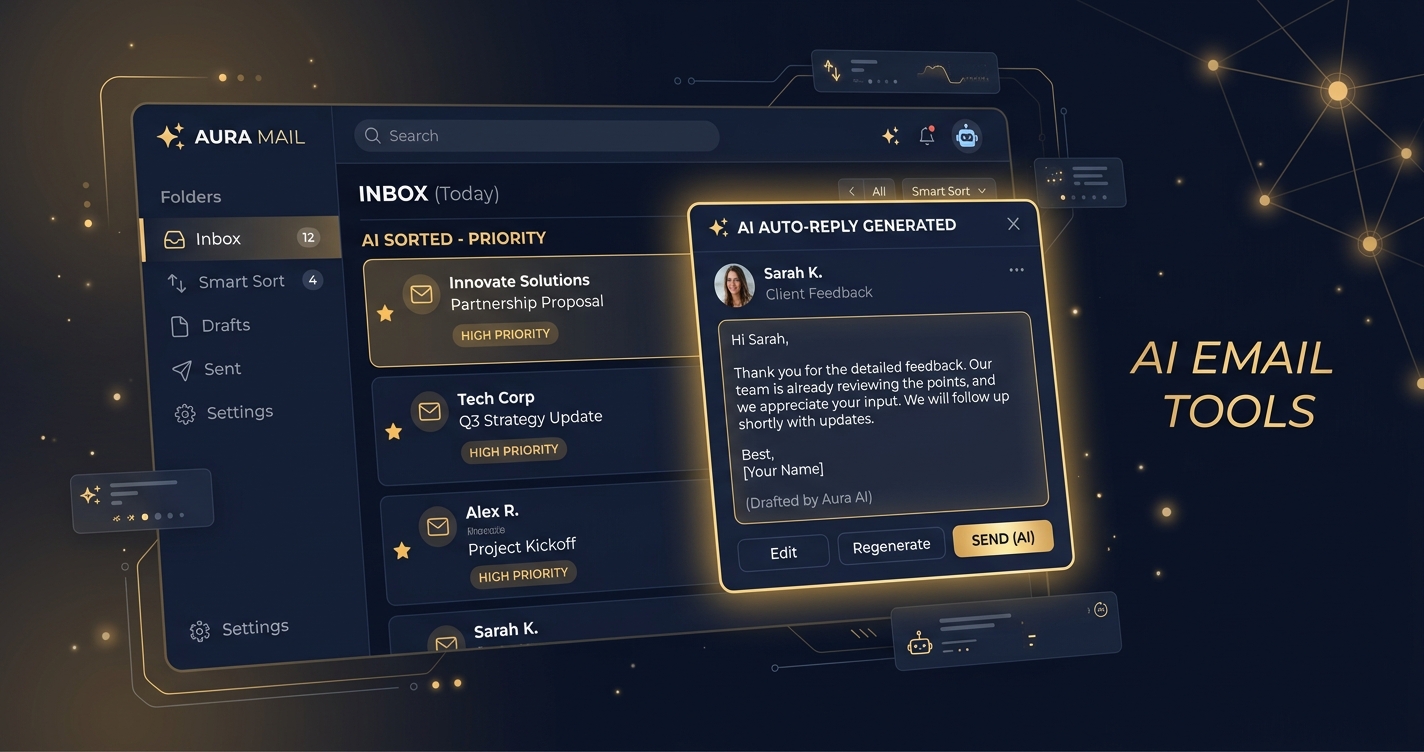
Let’s cut the fluff. Your inbox is a wasteland. A digital swamp where good intentions go to die, buried under a landslide of newsletters, meeting invites, and “urgent” requests that aren’t actually urgent. You know it. We know it. And the tech giants know it, which is why everyone’s suddenly slapping “AI” onto their email clients like it’s a magic cure-all.
But here’s the cold, hard truth: not all AI is created equal. Some of it is genuinely transformative, a productivity superpower that gives you back hours. Some of it is glorified autocomplete, barely worth the electrons it consumes.
Today, we’re pitting the heavyweights against each other: Superhuman, the legendary speed demon with a cult following; Spark AI, the intelligent organizer for the modern team; and Gmail AI, Google’s ubiquitous offering, now supercharged with its own flavor of smarts.
This isn’t a popularity contest. This is a brutal, no-holds-barred dissection to figure out which AI email tool truly deserves a place in your digital arsenal. Because your inbox doesn’t just need a facelift; it needs a complete overhaul, powered by intelligence that works for you.
What Exactly Are AI Email Tools, and Why Should You Care?
Forget the sci-fi fantasies of AI taking over the world (for now). In the email realm, AI is designed to do one thing: make your life easier. It’s about reducing the cognitive load, automating the mundane, and surfacing the truly important.
We’re talking about features like:
- AI Summarization: Turning a 20-email thread into a bullet-point digest in seconds.
- Smart Replies & Compose: Generating contextually appropriate responses or even full email drafts with a click.
- Intelligent Prioritization: Helping you see what matters most, cutting through the noise.
- Automated Scheduling & Follow-ups: Ensuring you never miss a beat or drop the ball.
The promise is alluring: reclaim your time, reduce stress, and communicate more effectively. The question is, which platform delivers on that promise without turning into another source of frustration? Let’s dive in.
Superhuman: The Speed Demon’s Secret Weapon – But Is It Yours?
Superhuman isn’t just an email client; it’s a philosophy. Launched with a waitlist and a premium price tag, it quickly became the darling of founders, executives, and anyone who lives and dies by their inbox. Its core appeal? Blazing speed, keyboard-centric navigation, and a relentless focus on getting to “Inbox Zero” faster than you can say “synergy.”
What Makes Superhuman Different from Your Average Email Client?
Superhuman’s ethos is built around speed and efficiency. Every design choice, every feature, is aimed at reducing friction and saving milliseconds. Think of it as the Formula 1 car of email clients. It integrates with Gmail and Outlook, overlaying a sleek, minimalist interface and a powerful set of tools that fundamentally change how you interact with email.
It’s not just a coat of paint; it’s a completely re-engineered experience. The onboarding process itself is legendary – a one-on-one session designed to teach you every keyboard shortcut and hidden gem. This isn’t for the faint of heart or those who prefer a mouse. This is for the digital gladiators.
How Does Superhuman Leverage AI to Tame Your Inbox?
Superhuman’s AI capabilities are designed to augment its core speed philosophy, not replace your brain. They’re about making you faster and smarter, not just generating generic text.
- AI Summarize: This is a major change for long threads or complex emails. Superhuman’s AI can distill the essence of an email or an entire conversation into concise bullet points, often highlighting action items. No more scrolling through endless replies to find the crucial detail. It’s like having a personal assistant who reads everything for you and gives you the executive summary.
- AI Write (Smart Compose on Steroids): Beyond basic predictive text, Superhuman’s AI Write feature can draft entire emails or responses based on context. You provide a prompt, it generates a draft. You can also adjust the tone (e.g., formal, casual, persuasive) and length. This is invaluable for common responses, sales outreach, or just when you’re staring at a blank screen, unable to articulate your thoughts.
- Instant Intro: This is a subtle but powerful AI feature for networking. If you’re introducing two people, Superhuman can automatically draft an introduction email, pulling relevant information from their LinkedIn profiles or past interactions (with your permission, of course). It’s a small detail that saves a surprising amount of time and mental effort.
- Triage & Split Inbox: While not strictly “AI” in the generative sense, Superhuman’s intelligent inbox organization helps you prioritize. It can automatically categorize emails into sections like “Important,” “Newsletters,” or “Social,” allowing you to process high-priority items first. It learns from your actions, making its sorting more accurate over time.
- “Send Later” & “Remind Me”: These are productivity staples, but Superhuman’s implementation is frictionless. You can schedule emails to be sent at optimal times or set reminders for yourself to follow up on an email if you don’t hear back, or to address an email later when you have the bandwidth. This offloads mental burden and ensures nothing slips through the cracks.
Is Superhuman’s Price Tag Justified, or Is It Just Hype?
Here’s where many balk: Superhuman costs $30 per month. That’s not a trivial sum for an email client. So, is it worth it?
For its target audience – professionals who spend hours in their inbox daily, where email is a primary tool for sales, communication, and decision-making – the answer often leans towards yes. The value proposition is time saved, and for high-earning professionals, time literally is money.
While EgoistAI avoids first-person income claims, numerous third-party case studies and user testimonials frequently cite significant productivity gains. For example, a common claim is saving “3-5 hours a week” on email. If your hourly rate is substantial, that quickly justifies the $30/month. For someone earning $100/hour, saving just 18 minutes a month pays for the subscription.
Key Limitations/Downsides:
- Price: It’s a premium product, and the cost is prohibitive for many.
- Learning Curve: The keyboard-centric design requires commitment to learn. It’s not a pick-up-and-play app.
- No Free Tier: There’s no way to try it out without committing.
- Limited Customization: While sleek, the minimalist design might feel restrictive to some who prefer extensive visual customization.
- Gmail/Outlook Only: Doesn’t support other email providers directly.
Superhuman is for those who are serious about email productivity and willing to invest in a tool that delivers speed and efficiency above all else.
Spark AI: Your Collaborative, Intelligent Inbox for Modern Teams
Spark by Readdle has been a strong contender in the alternative email client space for years, known for its “Smart Inbox” and robust organizational features. With the integration of AI, Spark is now positioning itself as an even more intelligent hub for individuals and teams looking to conquer email clutter and collaborate seamlessly.
Can Spark AI Really Be Your Smart Inbox Sidekick?
Spark’s core philosophy revolves around focus and collaboration. It aims to reduce distractions, categorize emails intelligently, and provide tools for teams to communicate within the email client itself. Its “Smart Inbox” feature automatically sorts emails into “Personal,” “Notifications,” and “Newsletters,” giving you a clearer view of what needs your immediate attention.
The addition of AI elevates these existing strengths, making Spark not just an organizer, but a proactive assistant. It’s designed for users who want a more structured, organized approach to their email, especially those who work in teams and need shared inboxes or collaborative drafting features.
What AI Magic Does Spark Bring to Your Email Game?
Spark AI builds on its established foundation of organization and collaboration, adding generative AI capabilities to streamline your workflow.
- AI Summarize: Similar to Superhuman, Spark AI can condense long emails and even entire email threads into concise summaries. This is particularly useful for catching up on discussions you’ve been looped into late or quickly grasping the context of a complex client interaction. It aims to pull out key points and action items, saving you significant reading time.
- AI Compose (Smart Reply & Draft Generation): Spark AI can generate full email drafts or smart replies based on the context of the conversation. You can provide a brief prompt, and Spark will craft a coherent message. Crucially, it allows you to adjust the tone (e.g., formal, friendly, urgent) and length, ensuring the generated text matches your communication style. This is a massive time-saver for repetitive responses or when you need to quickly articulate a thought.
- Priority Email (Enhanced Smart Inbox): While Spark always had a “Smart Inbox,” AI enhances its ability to identify and highlight truly important emails. It learns from your interactions and prioritizes emails from key contacts or those with urgent keywords, pushing them to the top of your inbox while relegating less important items to separate sections. This proactive filtering helps you focus on what matters most.
- Gatekeeper: This feature, while not strictly generative AI, uses intelligence to help you manage new senders. When someone emails you for the first time, Spark allows you to approve or block them before their email hits your main inbox. This is a powerful barrier against spam and unwanted solicitations, ensuring only relevant communications reach you.
- Shared Inboxes & Collaborative Drafting: For teams, Spark AI can assist in managing shared inboxes (like support@ or sales@) more efficiently. While not direct AI, the overall AI features streamline individual contributions to these shared spaces. Team members can use AI to quickly draft responses, summarize internal discussions, and ensure consistent communication.
- “Set Aside” & “Follow Up Reminders”: These features allow you to temporarily remove an email from your inbox to address it later, or set a reminder to follow up if you haven’t received a response. Like Superhuman, these are crucial for maintaining Inbox Zero and ensuring tasks aren’t forgotten.
Is Spark AI a Bargain or a Budget Buster?
Spark offers a more flexible pricing structure than Superhuman, with options for individuals and teams, and a very capable free tier.
- Free Plan: Includes basic email features, Smart Inbox, and a limited number of AI Summaries/Composes per month. This is excellent for individual users who want advanced organization without a recurring cost.
- Premium for Individuals: $7.99/month or $59.99/year. This unlocks unlimited AI features, advanced email management tools, and more customization options.
- Premium for Teams: $9.99/user/month. Includes all individual Premium features, plus shared inboxes, team workspaces, delegated email, and enhanced collaboration tools.
Spark’s value proposition is strong for those seeking an organized, collaborative, and AI-enhanced email experience without the steep entry cost of Superhuman. The free tier alone offers significant improvements over basic email clients. For teams, the ability to manage shared inboxes and communicate seamlessly within the app makes it a compelling choice.
Key Limitations/Downsides:
- Learning Curve for Advanced Features: While more intuitive than Superhuman, mastering all of Spark’s organizational and collaborative features takes some time.
- AI Features Are Premium: While a free tier exists, the unlimited, robust AI capabilities require a paid subscription.
- Cross-Platform Consistency: While available on most platforms, the experience can vary slightly between desktop and mobile.
- Not as “Blazingly Fast” as Superhuman: While efficient, it doesn’t prioritize the raw speed and keyboard-only workflow to the same extent as Superhuman.
Spark AI is ideal for individuals who want robust organization and a smarter inbox, and especially for teams looking to streamline communication and collaboration around email.
Gmail AI: Google’s Ubiquitous Smart Assistant – Is It Enough?
Gmail. The undisputed king of email, used by billions worldwide. For years, Google has been quietly injecting AI into its services, from spam filtering to search. Now, with the push for generative AI, Gmail is getting a significant upgrade, integrating these capabilities directly into the familiar interface. This isn’t a separate app; it’s the Gmail you know, but smarter.
Is Google’s AI Just Smart Gmail, or a True Inbox Revolution?
Gmail’s AI integration aims to leverage Google’s massive data and AI research to make email more efficient for its vast user base. Its core philosophy is accessibility and integration. If you’re already in the Google ecosystem (Workspace, Calendar, Docs), Gmail AI is designed to seamlessly enhance your existing workflow without requiring you to switch platforms.
It’s not trying to be a niche power user tool like Superhuman, nor is it a dedicated team collaboration hub like Spark. Instead, it aims to be a universally accessible smart assistant, making everyday email tasks easier for everyone from casual users to enterprise professionals. The revolution, if there is one, lies in its sheer scale and integration.
How Does Gmail’s Built-In AI Actually Help You?
Gmail’s AI features are deeply embedded, often working subtly in the background or appearing as helpful suggestions. With the advent of Gemini (formerly Duet AI) in Google Workspace, these capabilities are becoming more prominent and powerful.
- Smart Reply: This is probably the most widely used AI feature in Gmail. Based on the context of an incoming email, Gmail suggests 3-5 short, one-click responses. “Sounds good!” “Thanks!” “I’ll take a look.” It’s incredibly efficient for quick acknowledgments and reduces typing effort.
- Smart Compose: As you type, Smart Compose offers predictive text suggestions to complete sentences or phrases. It learns your writing style and frequently used phrases, making it increasingly accurate over time. This speeds up drafting and helps reduce typos.
- “Help Me Write” (Generative AI): This is Google’s most significant leap into generative AI for email. Located within the compose window (and sometimes as a summary option for threads), “Help Me Write” can draft entire emails from a simple prompt. You can tell it to “write a follow-up email about the meeting,” or “draft a cold outreach email for a new product,” and it will generate a starting point. You can then refine it, adjusting tone and length. This is currently part of Google Workspace’s AI add-ons (Gemini/Duet AI).
- AI Summarization (Experimental/Workspace): For longer email threads, “Help Me Write” can also be used to summarize conversations, distilling key points and actions. This feature is still evolving and often found in experimental stages or as part of premium Workspace offerings.
- Nudges: Gmail intelligently “nudges” you to reply to emails you might have missed or to follow up on emails you sent but haven’t received a response for. This proactive reminder system helps prevent important communications from falling through the cracks.
- Intelligent Categorization & Spam Filtering: While often overlooked, Gmail’s advanced AI-powered spam filter and automatic categorization (Primary, Social, Promotions, Updates, Forums) are incredibly sophisticated. They keep your inbox clean and organized, minimizing distractions from unwanted emails.
- Google Calendar Integration: While not direct AI, the seamless integration with Google Calendar allows you to create events, respond to invites, and check availability directly from your email, often with smart suggestions for meeting times.
What Does Gmail’s AI Cost You (Beyond Your Data)?
This is where Gmail has a significant advantage: for basic AI features, it’s essentially free.
- Free Gmail: Smart Reply, Smart Compose, Nudges, advanced spam filtering, and categorization are all available to anyone with a free Gmail account.
- Google Workspace (Paid Tiers): For businesses and advanced users, Google Workspace offers more robust AI features, including the full “Help Me Write” generative AI capabilities, often under the banner of Gemini (formerly Duet AI).
- Business Starter: $6/user/month (basic features).
- Business Standard: $12/user/month (more storage, video meetings, etc.).
- Business Plus: $18/user/month (enhanced security, compliance).
- Enterprise: Custom pricing, with the most advanced AI features.
- Gemini/Duet AI Add-on: The most powerful generative AI features typically require an additional add-on to these Workspace plans, costing around $20-30/user/month, on top of the base Workspace plan.
Gmail’s value proposition is its ubiquity, deep integration with other Google services, and the fact that basic AI is free. For those already entrenched in the Google ecosystem, upgrading to more powerful AI features within Workspace is a logical, if not always cheap, step.
Key Limitations/Downsides:
- Less Specialized: Gmail AI is a general-purpose tool. It doesn’t offer the hyper-focused speed of Superhuman or the deep team collaboration tools of Spark.
- Generative AI is Premium: The most powerful generative AI features (“Help Me Write” for full drafts and summaries) are primarily locked behind Google Workspace subscriptions and often require an additional Gemini/Duet AI add-on, making it as expensive as, or more expensive than, Superhuman for full AI capabilities.
- Privacy Concerns: For some, Google’s extensive data collection across its services raises privacy concerns, even if the data is anonymized and used to improve AI.
- Interface Clutter: Compared to Superhuman’s minimalist design, Gmail’s interface can feel cluttered, especially with ads in the free version.
Gmail AI is best for existing Gmail users who want to enhance their email experience without switching platforms, and for Google Workspace customers who can leverage its deeply integrated AI features across their entire Google suite.
Side-by-Side: The AI Email Tool Showdown
Let’s put these contenders head-to-head in a structured comparison.
| Feature | Superhuman | Spark AI | Gmail AI (Workspace) |
|---|---|---|---|
| Core Philosophy | Speed, keyboard-centric, Inbox Zero | Organization, collaboration, focus | Ubiquitous integration, accessibility |
| AI Summarization | Excellent, concise, action-oriented | Very good, multi-email summaries | Good, via “Help Me Write” (Workspace/Gemini) |
| Smart Reply/Compose | AI Write (full drafts, tone adjustment) | AI Compose (full drafts, tone adjustment) | Smart Reply, Smart Compose, Help Me Write |
| Scheduling/Reminders | Send Later, Remind Me | Send Later, Set Aside, Follow Up Reminders | Nudges, Google Calendar integration |
| AI Prioritization | Triage, Split Inbox (learns from actions) | Priority Email (AI-enhanced Smart Inbox) | Categories, Nudges, Spam Filter |
| Team Features | No native team features | Shared Inboxes, Delegated Email, Workspaces | Shared Mailboxes (Google Groups) |
| Integrations | Gmail, Outlook, Calendar, CRM, Zoom | Gmail, Outlook, iCloud, Exchange, etc. | Deep Google Workspace integration |
| Unique Selling Point | Blazing speed, keyboard efficiency | Smart Inbox, cross-platform, team features | Ubiquity, deep ecosystem integration |
| Pricing (Individual) | $30/month (no free tier) | Free / $7.99/month or $59.99/year (Premium) | Free / Workspace plans (from $6/user/month) + Gemini add-on ($20-30/month) |
| Learning Curve | High (keyboard-focused) | Moderate (feature-rich) | Low (familiar interface) |
| Best For | Power users, sales, executives | Organized individuals, small-mid teams | Existing Google users, large enterprises |
| Key Downsides | High price, steep learning curve | AI features locked behind premium | Advanced AI is pricey add-on, general purpose |
Who Wins? The AI Email Tool for Your Inbox
The truth is, there’s no single “best” AI email tool. The winner is highly dependent on your specific needs, workflow, and budget. Let’s break down who each solution is truly for.
Superhuman: For the Uncompromising Speed Demon
If you measure your email processing time in milliseconds, live and breathe keyboard shortcuts, and consider “Inbox Zero” a sacred state, Superhuman is likely for you. It’s an investment, but for those whose livelihoods depend on rapid, high-volume communication, the time savings can be immense. Sales professionals, venture capitalists, and C-suite executives often find its speed and focused AI tools invaluable. You need to be willing to commit to its unique workflow.
Spark AI: For the Organized Collaborator
If your inbox is a source of chaos, and you constantly juggle personal emails, team projects, and client communications, Spark AI offers a powerful solution. Its Smart Inbox, combined with generative AI and robust team features like shared inboxes, makes it ideal for individuals who crave order and for teams that need to communicate effectively around email. The free tier is an excellent entry point, and the premium plans offer significant value without breaking the bank. It’s perfect for small to medium-sized businesses and individuals who want a powerful email hub.
Gmail AI: For the Pragmatic Ecosystem User
If you’re deeply embedded in the Google ecosystem, rely on Google Calendar, Docs, and Drive, and want to enhance your email experience without switching platforms, Gmail AI is your natural choice. For basic AI features like Smart Reply and Smart Compose, it’s free and always there. For advanced generative AI (like full draft writing and summarization), you’ll need a Google Workspace subscription, often with an additional Gemini add-on, which can make it surprisingly expensive. It’s best for individuals who prioritize convenience and integration, and for large organizations already standardized on Google Workspace.
Your Inbox Deserves Better: Making the Right Choice
Before committing, consider these actionable steps:
- Analyze Your Pain Points: What frustrates you most about email? Is it speed, organization, drafting responses, or managing team communications?
- Assess Your Budget: How much are you willing to pay for an improved email experience? Remember, time saved can translate to money earned.
- Consider Your Workflow: Are you a keyboard warrior, or do you prefer a more visual, mouse-driven interface? Do you work solo, or are team features crucial?
- Try Before You Buy (Where Possible): Spark offers a free tier. While Superhuman doesn’t, many tech influencers or publications offer insights into its real-world use. For Gmail, you’re likely already using it, and you can explore Workspace trials.
Don’t settle for an inbox that dictates your day. Leverage the power of AI to take control, reduce stress, and focus on what truly matters. Your inbox deserves better, and so do you.
Frequently Asked Questions
Q: Is Superhuman truly worth the $30/month price tag?
A: For its target audience (power users, sales professionals, executives) who spend hours daily in email, the productivity gains (often cited as several hours per week) can easily justify the cost. For casual users or those who don’t rely heavily on email for their core work, it’s likely an unnecessary expense. Its value is directly tied to the monetary value of your time saved.
Q: Can Spark AI replace Superhuman for power users?
A: While Spark AI offers robust features and AI capabilities, it doesn’t aim for the same “blazingly fast,” keyboard-first workflow as Superhuman. Spark excels at organization, collaboration, and a more structured inbox. If raw speed and keyboard efficiency are your absolute top priorities, Superhuman might still edge it out. If a smarter, more organized, and collaborative inbox is key, Spark is a strong contender and a more affordable alternative.
Q: What are the privacy implications of using AI email tools?
A: All AI email tools process your email content to provide features like summarization and smart replies. Reputable services like Superhuman, Spark, and Gmail generally state they use anonymized data to train their models and do not share your personal email content with third parties for advertising. However, it’s crucial to read each service’s privacy policy carefully. If privacy is a paramount concern, consider the trade-off between convenience and data processing.
Q: Do these AI email tools work with custom email domains?
A: Yes, all three services generally work with custom email domains. Superhuman and Spark integrate with existing Gmail and Outlook accounts, meaning if your custom domain is hosted on Google Workspace or Microsoft 365, they will work seamlessly. Gmail AI, being part of Google Workspace, naturally supports custom domains linked to your Workspace account.
Q: What’s the biggest difference between a dedicated AI email client (Superhuman/Spark) and built-in Gmail AI?
A: The biggest difference lies in specialization and depth of features. Dedicated clients like Superhuman and Spark are built from the ground up to optimize the email experience with AI at their core, offering more advanced, focused features and often a superior user interface for specific workflows. Gmail AI, while powerful and convenient due to its ubiquity and deep Google integration, is a more general-purpose enhancement to an existing service. Its most advanced generative AI features are often locked behind premium Workspace add-ons, making the full AI
Sources
> Want more like this?
Get the best AI insights delivered weekly.
By subscribing, you agree to our Privacy Policy. You can unsubscribe at any time.
> Related Articles
AI Agent Memory Governance: Decide What the System May Remember
Agent memory improves continuity but creates privacy, security, and correctness risks. Design consent, retention, provenance, deletion, and retrieval boundaries before storing user context.
LLM Abstention Policies: Teach Production AI When Not to Answer
A reliable AI system needs a controlled way to say it lacks evidence, permission, or confidence. Design abstention triggers, user recovery paths, and evaluation metrics.
Agentic Browsers in 2026: Which AI Tools Can Actually Finish the Job?
AI browsers promise to click, compare, book, and build for you. Most still stumble. Here are the tools that actually deserve your trust in 2026.
Tags
> Stay in the loop
Weekly AI tools & insights.